
The best free WordPress poll and survey plugins depend on what you need.
Beginners may want a simple tool. Businesses may need analytics, conditional logic, integrations, and lead capture.
Before you choose a plugin, compare these features:
- Free features
- Response limits
- Question types
- Integrations
- Reports and analytics
Here are some popular free WordPress poll and survey plugins. Choose the one that fits your needs.
1. Formidable Forms

Formidable Forms is a WordPress form builder with many useful features. More than 300,000 users have installed it.
You can use it to build forms and surveys. It also offers options such as radio buttons and star ratings.
Formidable Forms has a paid plan, but the free version still offers useful tools. Its simple interface makes it easy for beginners to create surveys.
Use the drag-and-drop builder to add fields and build your form. You do not need coding skills.
2. WP Forms
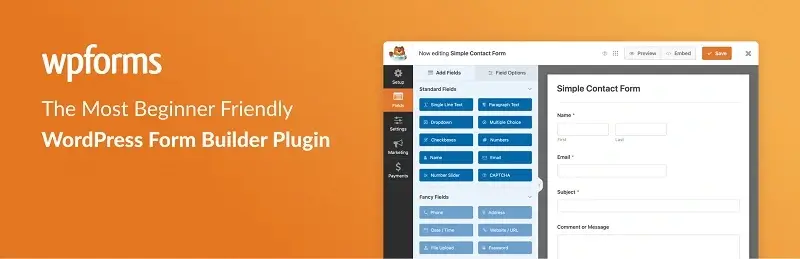
Hiring a developer to build forms can cost hundreds or thousands of dollars. WP Forms gives you a way to build forms without coding.
You can create many types of forms, including:
- Payment forms
- Subscription forms
- Feedback forms
- Contact forms
The drag-and-drop builder lets you create forms in minutes. Even beginners can use it without knowing code.
The forms work across smartphones, tablets, and computers. They also focus on good performance.
You can upgrade to the premium version if you need more features.
3. Quiz And Survey Master

The name says it all. Quiz And Survey Master lets you add quizzes and surveys to your WordPress site.
You do not need coding skills. You can create surveys with a few clicks.
The interface may take some time to learn. But the plugin offers many features.
You can also add:
- Leaderboards
- Scores
- Interactive answers
- Email messages after users finish a survey
You can send users a thank-you message or send them to another page after they finish.
4. Crowdsignal Forms

CrowdSignal was once known as PollDaddy. It lets you create polls, quizzes, ratings, and surveys without coding.
It does not work as a contact form builder. If you need contact forms, choose another tool.
CrowdSignal focuses on polls and surveys. The plugin is free to install, but you need an API key to use it.
Getting the key is simple. Sign up for an account with WordPress.com.
The drag-and-drop tools make it easy to build polls and surveys. You can also use features such as:
- Styling options
- Survey settings
- Result sharing
- Other survey tools
5. Woorise

Woorise is an all-in-one platform for forms, surveys, quizzes, and landing pages. It helps WordPress users collect responses and leads without coding.
It includes a drag-and-drop builder and conditional logic. Also, it connects with tools such as Mailchimp, HubSpot, and Zapier.
You can use Woorise to:
- Accept payments
- Automate tasks
- Track results
- Capture leads
- Create surveys and quizzes
It works for simple feedback surveys and more advanced lead-generation forms. You also get control over the look and branding of your forms.
6. Survey Funnel

Survey Funnel has a simple interface. You can create surveys without writing code.
The plugin can help you use surveys to collect leads. It also provides tools to help you track survey data.
You can view survey data and statistics with a few clicks. The plugin can also generate questions for your audience.
You can choose how your survey appears. Show it on one page or split it across several pages.
Frequently Asked Questions
1. What is the best free survey plugin for WordPress?
The right plugin depends on what you need.
Look for a plugin that is:
- Easy to use
- Mobile-friendly
- Flexible
- Able to support different question types
- Able to collect and report responses
Several free plugins let you create surveys without coding.
2. What is the best free WordPress poll plugin?
Look for a plugin that makes polls easy to create and display.
Useful features include different answer types, clean layouts, mobile support, and simple result tracking.
Polls can help you engage visitors and learn what your audience thinks.
3. Are WordPress survey plugins free?
Some WordPress survey plugins offer free versions.
Free plans often include basic surveys, question types, responses, and data. Advanced features may require a paid plan.
These features can include detailed statistics, email alerts, and unlimited responses.
4. How do I create a survey in WordPress for free?
Start by installing a survey plugin from the WordPress plugin directory.
Then activate the plugin and create a survey. Add your questions and answers, then customize the design.
Finally, publish the survey using the plugin’s shortcode or widget.
5. What is the easiest WordPress survey plugin for beginners?
Beginners should look for a simple interface and a drag-and-drop builder.
The plugin should not require coding skills. Clear controls can also make the setup process easier.
6. Can I create polls and surveys in WordPress without coding?
Yes. Many WordPress survey plugins include visual editors.
You can add questions, answers, and design settings without writing code. You can then add the survey to a page, post, or widget.
7. What features should I look for in a WordPress survey plugin?
Start with the features you need most.
Useful features include:
- Different question types
- Drag-and-drop building
- Mobile support
- Design options
- Response management
- Statistics and reports
- Email notifications
- Lead capture
- Conditional logic
- Spam protection
- Integrations
- Data export
Businesses may need more advanced features than personal websites.
8. Can WordPress survey plugins collect email addresses and leads?
Yes. Some WordPress survey plugins can collect email addresses and other user data.
This can help you build a list of leads for future email campaigns.
Make sure you follow all privacy laws that apply to your website and audience.
9. Can I see survey results and analytics in WordPress?
Some survey plugins show results inside the WordPress Dashboard.
Depending on the plugin, you may see:
- Number of responses
- Response percentages
- Individual answers
- Charts
- Other basic analytics
10. Are WordPress survey plugins mobile-friendly?
Many modern WordPress survey plugins work on mobile devices.
Responsive surveys adjust to smartphones, tablets, and computers. This matters because many people browse websites on mobile devices.
11. What is the difference between a WordPress poll, survey, quiz, and form?
A poll asks a question and collects votes.
A survey asks several questions to collect opinions or feedback.
A quiz tests a person’s knowledge and may give a score.
A form collects information, such as contact details or registration data.
12. Do free WordPress poll and survey plugins have response limits?
Some free plugins limit the number of responses, surveys, or features you can use.
Other plugins may allow more responses but limit advanced tools.
The limits depend on the plugin and its pricing plan.
Conclusion
You do not need to spend money to start creating polls and surveys in WordPress.
Many plugins offer free tools for creating surveys, polls, quizzes, and forms.
The key is to compare the features and limits of each plugin. Then choose the one that matches your needs.