
Building a website takes more than good design.
You also need to think about privacy, cookies, tracking, and user consent. If your site serves people in the EU, you may need to follow rules under the GDPR and the ePrivacy framework.
WordPress gives you many WordPress cookie consent plugins, which can make it hard to choose the right GDPR cookie plugin for WordPress.
This guide covers seven best GDPR cookie plugins for WordPress that can help you manage cookie consent, block non-essential tracking, and give visitors more control over their privacy.
Important: A cookie plugin does not make a website automatically GDPR-compliant. Your legal duties depend on what data and cookies your site uses, how you use them, and where your visitors are located.
What Are Cookies?
Cookies are small files that a website stores in a visitor’s browser or device.
They can remember things such as:
- Login sessions
- Shopping carts
- Language settings
- User preferences
- Analytics data
- Advertising and tracking data
Not all cookies need user consent.
Some cookies are needed for a website to work. For example, a shopping cart or login session may use a cookie that is strictly necessary for a service the visitor requested. Other cookies, such as some advertising and tracking cookies, may require consent before they are stored or accessed.
What Are the EU Cookie Rules?
There is no single law called the “EU Cookie Law.”
Cookie rules in the EU mainly come from the ePrivacy framework. The GDPR also applies when cookie use involves the processing of personal data.
In general, websites must tell users what cookies and similar technologies they use and why they use them. Where consent is required, the site must get that consent before using the relevant cookies or technologies.
Users should also be able to withdraw their consent. That withdrawal should be as easy as giving consent.
This is why a WordPress GDPR cookie consent solution can be useful for websites that need to manage user consent.
7 WordPress Cookie Plugins for GDPR and Privacy Compliance
Table of Contents
- 1. Complianz
- 2. CookieYes
- 3. Cookie Compliance for WordPress
- 4. CookieAdmin
- 5. GDPR Cookie Compliance
- 6. WPConsent
- 7. Real Cookie Banner
1. Complianz
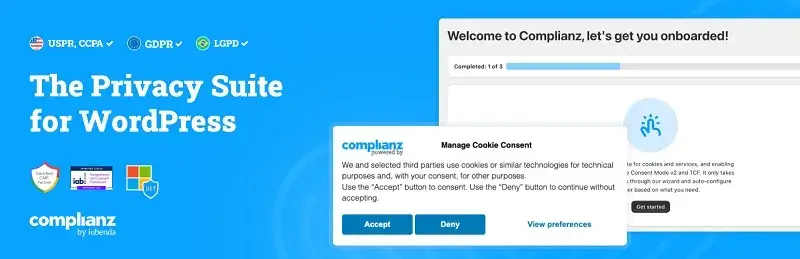
Complianz is a WordPress privacy and cookie consent plugin.
It helps you create a cookie banner, scan your site for cookies, manage consent, and block third-party scripts. It also offers integrations with tools such as Google Analytics and Google Tag Manager.
Complianz uses a setup wizard to guide you through the process. Its settings can also change based on your region and site setup.
The plugin supports GDPR and ePrivacy requirements, along with several privacy frameworks outside the EU.
Key features
- Custom cookie consent banner
- Cookie scanning
- Cookie and script blocking
- Consent records
- Regional consent settings
- Google Consent Mode
- Google Tag Manager integration
- Third-party service blocking
- Privacy policy and cookie policy tools
Best for: WordPress site owners who want a detailed consent setup with many integrations.
2. CookieYes
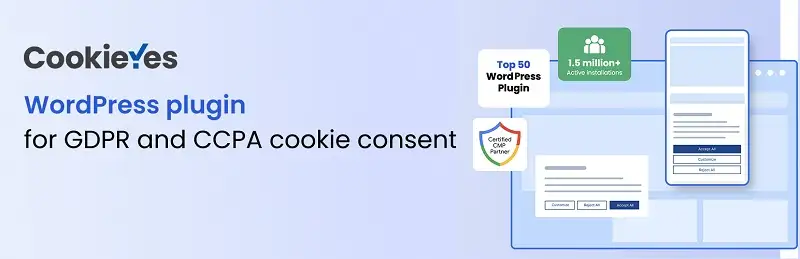
CookieYes is a popular WordPress cookie consent solution.
It can scan your website, create a custom cookie banner, block non-essential cookies, and record consent. It also supports granular cookie choices, so visitors can choose which categories they allow.
CookieYes supports Google Consent Mode v2 and integrations with common analytics and marketing tools.
It offers both free and paid features. The available features depend on the plan you use.
Key features
- Custom cookie banner
- Automatic cookie scanning
- Cookie blocking
- Consent management
- Consent records
- Cookie policy tools
- Google Consent Mode v2
- Third-party integrations
- Consent withdrawal options
Best for: Sites that want a simple setup with scanning and cloud-based consent tools.
3. Cookie Compliance for WordPress
Cookie Compliance for WordPress was previously known as Cookie Notice.
The plugin can display a cookie consent banner and connect your site to the Cookie Compliance system. It supports consent management, script blocking, consent records, and several third-party consent modes.
It also supports the WordPress Consent API. This can help other compatible plugins respond to the consent choices made by visitors.
Key features
- Custom cookie banner
- Consent records
- Automatic script blocking
- Consent management
- WordPress Consent API support
- Google Consent Mode v2
- Facebook Consent Mode
- Microsoft Consent Mode
- Privacy policy integration
- Multilingual support
Best for: WordPress sites that need consent controls and integrations with other WordPress tools.
4. CookieAdmin
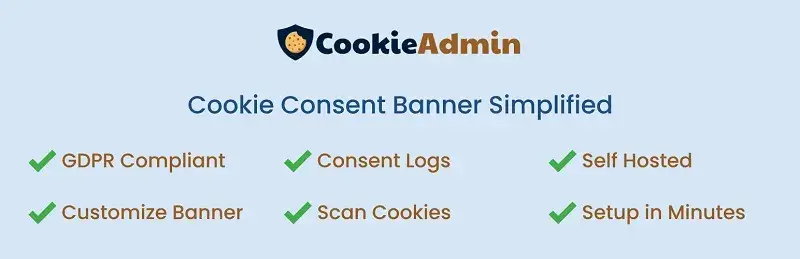
CookieAdmin focuses on a simple cookie consent setup.
It lets site owners show a custom cookie banner. Visitors can accept or reject cookies or choose specific cookie categories.
The plugin also includes cookie scanning and banner customization features. Depending on the version and plan, it can support different privacy laws and additional consent features.
Key features
- Custom cookie banner
- Cookie categories
- Consent management
- Cookie scanning
- Privacy controls
- Easy setup
- Banner customization
Best for: Smaller WordPress sites that want a simple cookie consent system.
5. GDPR Cookie Compliance
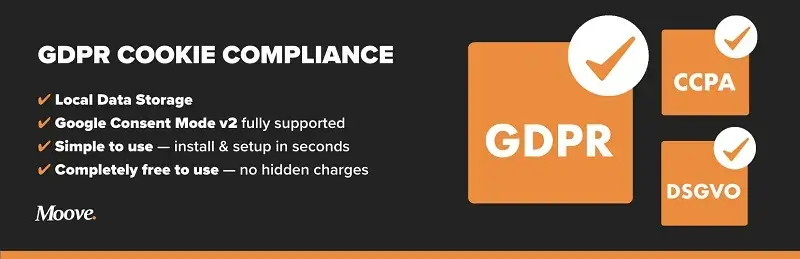
GDPR Cookie Compliance is a WordPress plugin from Moove Agency.
It gives visitors control over their cookie choices. You can create a custom banner with options such as Accept, Reject, Close, and Settings.
The plugin supports Google Analytics, Google Tag Manager, Meta Pixel, and Google Consent Mode v2. It can also block selected scripts until the required consent is given.
It also supports consent withdrawal, mobile layouts, multilingual sites, and local data storage.
Key features
- Custom cookie banner
- Accept and reject controls
- Privacy preference settings
- Consent management
- Cookie and script blocking
- Google Consent Mode v2
- Google Analytics integration
- Google Tag Manager integration
- Meta Pixel integration
- Multilingual support
Best for: Site owners who want a free WordPress-focused consent plugin with a wide range of settings.
6. WPConsent
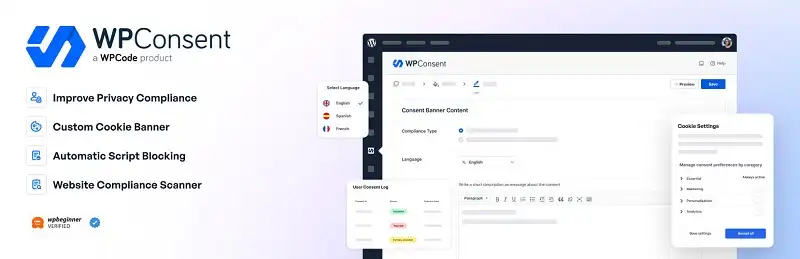
WPConsent helps WordPress site owners manage cookie consent and tracking scripts.
It can scan a site for cookies and third-party services. It can also block tracking scripts until visitors give consent.
WPConsent supports customizable banners, consent records, granular cookie controls, content blocking, and Google Consent Mode v2.
The free and paid versions offer different features.
Key features
- Custom cookie banner
- Automatic script blocking
- Cookie scanning
- Consent records
- Granular cookie controls
- Content blocking
- Google Consent Mode v2
- Geolocation rules
- Cookie policy tools
- Self-hosted consent data
Best for: WordPress users who want strong control over scripts, cookies, and consent data.
7. Real Cookie Banner

Real Cookie Banner is a WordPress cookie consent plugin built around GDPR and ePrivacy requirements.
It lets you create custom cookie banners and manage visitor consent. It also supports content blockers for scripts, embeds, and other third-party content.
The plugin stores consent data on your WordPress site and offers service and content-blocker templates.
Real Cookie Banner has free and paid versions. Feature availability depends on the version you use.
Key features
- Custom cookie banner
- Consent management
- Consent documentation
- Service templates
- Content blocking
- Cookie and script blocking
- Consent records
- Multilingual support
Best for: WordPress sites that need detailed consent and content-blocking controls.
How to Choose a WordPress Cookie Plugin
Do not choose a WordPress cookie compliance plugin based only on popularity.
Start by checking what your website actually uses.
Look at:
- Analytics tools
- Advertising platforms
- Social media pixels
- Embedded videos
- Maps
- Contact forms
- Marketing tools
- Third-party scripts
- Cookies set by your WordPress plugins
- The countries where your visitors live
Then compare the plugins based on the features you need.
Important features include:
- Automatic cookie scanning
- Script blocking
- Content blocking
- Consent logging
- Granular cookie controls
- Consent withdrawal
- Regional settings
- Google Consent Mode
- Third-party integrations
- Multilingual support
- Performance
- Regular updates
- Cost
The right plugin depends on your site. There is no single plugin that fits every WordPress website.
How to Add a Cookie Consent Banner in WordPress
The basic process is simple.
1. Find your cookies
Scan your website before setting up the banner.
Check your WordPress plugins, analytics tools, advertising tools, embeds, and third-party services.
2. Install a cookie consent plugin
Go to Plugins → Add New in your WordPress dashboard.
Search for the plugin you want. Install and activate it.
3. Set up your cookie categories
Create clear categories such as:
- Necessary
- Preferences
- Analytics
- Marketing
Only use categories that match the cookies and services on your site.
4. Set up the consent banner
Write clear text.
Give visitors meaningful choices. Where consent is required, do not load the relevant cookies or tracking technologies before consent.
5. Block non-essential scripts
Check your analytics, advertising, social media, video, map, and other third-party scripts.
Make sure the consent tool blocks them when required.
6. Add your privacy information
Your cookie policy should explain what cookies you use, why you use them, and other required information.
7. Test the site
Test the banner in a private browser window.
Check what loads before consent.
Then accept and reject each cookie category. Make sure the site responds to those choices correctly.
Frequently Asked Questions
1. What is a WordPress cookie plugin?
A WordPress cookie plugin helps you manage cookies and user consent.
It can display a cookie banner, explain cookie categories, record user choices, and block certain scripts until visitors give consent.
2. Does every WordPress website need a cookie plugin?
No.
The need depends on the cookies and tracking technologies your site uses, your data processing, and the laws that apply to your site and visitors.
A site that uses analytics, advertising, or other tracking tools may need a consent system. Strictly necessary cookies can be treated differently under EU rules.
3. What are the best GDPR cookie plugins for WordPress?
Popular options include:
- Complianz
- CookieYes
- Cookie Compliance for WordPress
- GDPR Cookie Compliance
- WPConsent
- Real Cookie Banner
- CookieAdmin
Each plugin has different features, integrations, pricing, and setup options.
Choose based on your site’s needs rather than popularity alone.
4. Which WordPress cookie plugin is best for GDPR?
There is no single plugin that works best for every site.
A plugin can help you collect consent and block cookies. But it cannot handle every part of GDPR compliance for you.
You still need to understand your data processing, third-party services, privacy notices, and other legal requirements.
5. Is Complianz a good GDPR cookie plugin?
Complianz provides tools for cookie scanning, consent banners, script blocking, consent records, and regional settings. It also supports many WordPress integrations.
Whether it fits your site depends on the features and integrations you need.
6. Is CookieYes GDPR compliant?
CookieYes provides tools for cookie consent and privacy management.
It can scan cookies, display consent banners, block non-essential cookies, and record consent.
But installing CookieYes does not, by itself, make a website fully GDPR-compliant.
7. What is the difference between Complianz and CookieYes?
Both tools provide cookie consent features.
Complianz focuses heavily on WordPress-native privacy management, regional settings, integrations, and consent controls.
CookieYes focuses on cookie scanning, consent management, automated blocking, consent records, and integrations with other platforms.
The better fit depends on your website and setup.
8. How do I add a cookie consent banner to WordPress?
Install a cookie consent plugin from the WordPress dashboard.
Then:
- Scan your site.
- Identify your cookies and services.
- Create cookie categories.
- Set up the consent banner.
- Configure script and cookie blocking.
- Add your privacy and cookie policy.
- Test the site before publishing.
9. How do I make my WordPress website GDPR compliant?
Start by finding out what personal data and cookies your website uses.
Check:
- Analytics
- Advertising
- Contact forms
- Embedded content
- Marketing tools
- WordPress plugins
- Third-party services
Then set up the right consent and privacy controls.
GDPR compliance covers more than cookies, so consider getting legal advice if your data processing creates complex requirements.
10. Does WordPress have built-in GDPR cookie consent?
WordPress includes privacy tools, but it does not provide one complete cookie consent system for every type of website.
If you use analytics, advertising, marketing tools, or third-party services, you may need a separate consent solution.
11. How do GDPR cookie consent plugins work?
Most cookie consent plugins show a banner when a visitor arrives.
The banner explains the cookie categories and gives visitors choices.
Depending on the plugin, it can also block analytics, advertising, tracking scripts, and third-party content until the visitor gives the required consent.
12. Do WordPress websites need EU cookie consent?
Some do.
The answer depends on the cookies and technologies your site uses.
Strictly necessary cookies may not need consent. Other cookies and tracking technologies may require prior consent.
13. What cookies require user consent under GDPR?
There is no simple list based only on the word “cookie.”
Consent rules depend on the purpose and use of the technology.
Cookies used for advertising, behavioral tracking, and some forms of analytics may require consent. Strictly necessary cookies can fall under an exception.
14. Can a WordPress cookie plugin block tracking cookies before consent?
Yes.
Many consent plugins can block analytics, advertising, social media, and other third-party scripts until the visitor gives the required consent.
But you must configure and test the plugin correctly.
15. How can I stop cookies from being set before consent?
Use a consent solution that can block non-essential scripts and cookies.
Then configure it to block the relevant analytics, advertising, social media, and third-party technologies until the visitor makes a choice.
Always test the site after setup.
16. What is the difference between necessary cookies and tracking cookies?
Necessary cookies help your website perform essential tasks.
They may support:
- Login sessions
- Security
- Shopping carts
- Basic preferences
- Form functions
Tracking cookies can monitor user behavior or support analytics, advertising, profiling, or personalization.
The legal rules can differ between these categories.
17. What should a GDPR cookie consent banner include?
A consent banner should give visitors clear information about the cookies and technologies used on the site.
Where consent is required, visitors should have a real choice.
The wording should be simple and easy to understand. Consent must be informed and freely given.
Visitors should also be able to withdraw consent.
18. Can users change or withdraw cookie consent?
Yes.
Your consent system should give visitors a way to change or withdraw their choices when consent is required.
EU guidance says withdrawing consent should be as easy as giving it.
Many WordPress plugins provide a floating privacy button or preference center for this purpose.
19. Are WordPress cookie consent plugins free?
Many offer free versions.
Free plans often cover basic banners and consent controls. Paid plans may add features such as advanced scanning, consent logs, geolocation, integrations, and reports.
Check the current feature list before choosing a plugin.
20. What are the best free GDPR cookie plugins for WordPress?
Several plugins offer free versions, including:
- Complianz
- CookieYes
- GDPR Cookie Compliance
- WPConsent
- Real Cookie Banner
Free features vary by plugin.
Check whether the free version includes the scanning, blocking, integrations, and consent controls your site needs.
21. How do I choose the right cookie consent plugin for WordPress?
First, audit your website.
Find your:
- Cookies
- Analytics tools
- Ad platforms
- Third-party scripts
- Embedded content
- Visitor locations
Then compare plugins based on:
- Cookie scanning
- Script blocking
- Consent logging
- Customization
- Integrations
- Regional rules
- Performance
- Updates
- Price
Choose the plugin that fits your setup.
22. Which WordPress cookie plugins support Google Analytics?
Several cookie consent plugins support Google Analytics.
Many can block Google Analytics until the visitor gives the required consent. Some also support Google Consent Mode v2.
Check the plugin’s latest documentation before you connect Google Analytics. Integration methods can change over time.
23. Do WordPress cookie plugins automatically make a website GDPR-compliant?
No.
A cookie plugin is a tool. It does not replace your privacy program.
You still need to understand:
- What data you collect
- Why you collect it
- Which third parties receive it
- Which cookies your site uses
- Which privacy notices you need
- Which laws apply to your visitors
Even plugin developers make clear that their tools do not guarantee full legal compliance.
24. What are the alternatives to Complianz?
Common alternatives include:
- CookieYes
- Cookie Compliance for WordPress
- WPConsent
- Real Cookie Banner
- GDPR Cookie Compliance
Compare their scanning, blocking, consent, integration, and pricing features before choosing one.
25. What are the alternatives to CookieYes?
Common alternatives include:
- Complianz
- WPConsent
- Real Cookie Banner
- GDPR Cookie Compliance
- Cookie Compliance for WordPress
The right choice depends on your WordPress setup and privacy needs.
26. Which WordPress cookie plugin is easiest to set up?
This depends on your site.
A cookie banner plugin for WordPress with a setup wizard, automatic scanning, ready-made templates, and automatic blocking can make setup easier.
But no plugin can correctly configure every site without review.
27. How do I install a cookie consent plugin in WordPress?
Open your WordPress dashboard.
Go to:
Plugins → Add New
Search for the plugin you want.
Then:
- Install the plugin.
- Activate it.
- Run its setup wizard.
- Scan your website.
- Set up cookie categories.
- Configure your banner.
- Configure script blocking.
- Add your privacy and cookie policy links.
- Test the site.
28. What are the most popular WordPress GDPR cookie plugins?
Popular options include:
- Complianz
- CookieYes
- Cookie Compliance for WordPress
- GDPR Cookie Compliance
- WPConsent
- Real Cookie Banner
Popularity should not be your only deciding factor.
Check current updates, compatibility, support, features, and pricing before installing a plugin.
29. Does GDPR apply to WordPress websites?
GDPR does not apply because a site uses WordPress.
It can apply when an organization falls within the GDPR’s scope and processes personal data covered by the regulation.
So a WordPress site may be subject to GDPR depending on what the site does, who operates it, and whose personal data it processes.
30. What is the EU Cookie Law, and how does it affect WordPress?
“EU Cookie Law” is a common term for EU rules about cookies and similar tracking technologies.
The ePrivacy Directive contains specific rules about storing information on a user’s device and accessing information already stored there. The GDPR can also apply when personal data is involved.
For WordPress sites, this means you need to understand the cookies and tracking tools your site uses. Some may require consent before they run.
Final Thoughts: WordPress Cookie Plugins
The right WordPress cookie consent plugin can make consent management easier and support your WordPress cookie compliance efforts.
A good plugin can help you:
- Show a cookie consent banner
- Scan for cookies
- Block non-essential scripts
- Record consent
- Manage cookie categories
- Let visitors change their choices
- Connect with analytics and marketing tools
But the plugin is only one part of the job.
Start by finding out what your website actually does. Check your cookies, analytics, ads, embeds, plugins, and third-party services.
Then choose a consent tool that fits your site.
Whether you use Complianz, CookieYes, Cookie Compliance for WordPress, GDPR Cookie Compliance, WPConsent, Real Cookie Banner, or another solution, configure it carefully and test it.
Privacy compliance is not a set-and-forget task. Keep your WordPress site, plugins, consent settings, and privacy information up to date.
That gives visitors more control and helps you manage your privacy responsibilities with less risk.