
Hey guys, in this article, I am going to discuss the best free WordPress Instagram feed plugins for 2026. So keep reading.
You probably know Instagram. It’s a visual platform and one of the most influential social media sites today. According to us, it has that vibe that attracts people and holds them on the platform. How about bridging the same charm to your WordPress website? Sounds interesting, right? Check out this blog to see how bold visuals are changing marketing. You’ll also learn how Instagram feeds can boost your WordPress site.
Various Instagram plugins and tools for online marketers on WordPress help you in this case. This WordPress Instagram plugin makes it easy to embed your Instagram feed on your site. Showcase your feed without hassle! You can find many plugins to simplify your embedding process. For your convenience, here are some of the best free WordPress Instagram feed plugins.
So without any further ado, let’s learn about them.
Premier Instagram Feed Plugins For WordPress
Instagram is the top social media platform for visual content and a powerful channel for influencer marketing. However, we aren’t making that claim. Instead, the user base of the platform stands as evidence for this claim.
And as it stands as the best platform, how about combining it with the best WordPress plugin? We looked at the best free WordPress Instagram feed plugins. We based our review on usage, features, and prices.
1. Flow-Flow

Flow-flow is a WordPress plugin. It lets you collect, curate, customize, and embed Instagram feeds on your website. The simple admin tool lets you collect feeds from all big social media platforms, such as Instagram.
The plugin shows social media counters for comments, likes, and views. This helps promote your Instagram handle and understand performance insights through a my best hours report. In today’s world, a strong social media presence is key, and platforms such as social wick are also used by some marketers to support social media growth. Many people judge a brand’s quality and reputation by its activity online.
You have various themes and layouts and can showcase the content on your website. For example, you can choose the Grid view that provides equal space for the content. A grid view makes your content more organized. Many large social media platforms, like Instagram, use Grid displays for their content.
With the help of this Instagram WordPress plugin, you can use the same view with ease.
The automatic updates keep the visitors engaged, as they get new content every time. The plugin showcases the content as soon as it uploads on the platform. There is no need to refresh the feed manually.
2. WPZOOM Social Feed Widget
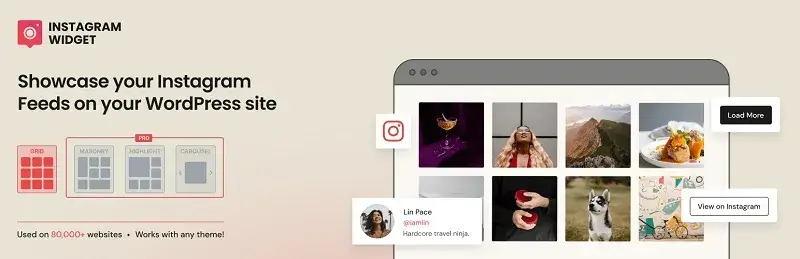
Consumers often seek reviews or social proof before buying a product. And Instagram is one of the platforms where they can find them with ease.
Showing them on your website builds trust, supports customer retention strategies, and helps customers decide to buy. You can easily add your Instagram photo gallery and feeds with the WPZOOM Social Feed widget.
It’s a lightweight plugin. It streams Instagram images and videos. Plus, it won’t slow down your website. Its simple setup and embedding make it a top free WordPress Instagram feed plugin.
3. WP Social Ninja

If you want a strong tool to manage your social media and explore AI automation, try WP Social Ninja. This all-in-one plugin for WordPress simplifies connecting and displaying your Instagram feed. It helps you grow your social media presence with ease. Use WP Social Ninja to strengthen your social media and improve your online presence.
WP Social Ninja works smoothly with your WordPress site. You can connect all your social media profiles and easily share your content. You can easily show your Instagram, Facebook, Twitter, YouTube, and other social media feeds on your website. A few clicks are all it takes!
This plugin connects to over 29 social platforms. It helps small businesses manage and showcase all their social media content. This super plugin supports 4+ social feeds, 9+ review platforms, and 15+ chat widgets.
WP Social Ninja is fully customizable. You can personalize your social media experience to fit your brand and preferences. You can pick from many customization options. Choose different filters, layouts, and styles. This helps you create a unique look that matches your brand.
WP Social Ninja is user-friendly and easy to use. Even those who aren’t tech-savvy can access it. The user-friendly interface, great support, and clear documentation ensure you get the help you need.
Key Features of WP Social Ninja:
- Notification popup
- Testimonials
- Shoppable Instagram feed
- Facebook Event/Album feed
- Export/Import custom reviews
- Shortcode supported
- Real-time syncing
- Manual syncing
- Translation options
- Schema snippet
- 100% responsive
Frequently Asked Questions About WordPress Instagram Feed Plugins
1: What is the best free Instagram feed plugin for WordPress?
Choose the best free Instagram feed plugin based on your website’s needs. Look for a plugin that’s easy to install, mobile-friendly, and performs well. It should also offer good customization options. Some of the popular ones include Tagembed, WP Social Ninja, and WPZOOM Instagram Feed.
2: How do I add an Instagram feed to WordPress?
To add an Instagram feed, do this:
- Install an Instagram feed plugin from the WordPress dashboard.
Activate the plugin and link your Instagram account. Choose the preferred design for your Instagram feed. Configure the settings and insert the shortcode into your page/post.
3: Can I embed an Instagram feed on WordPress for free?
Yes, you can embed an Instagram feed on your WordPress site. There are many plugins available, and some are free. Free Instagram feed plugins offer basic features. They show posts, are responsive, and allow for easy customization. But some advanced features may only be unlocked with the paid version.
4: Do I need an Instagram Business or Creator account to embed an Instagram feed?
The type of Instagram feed plugin will determine this. Some Instagram feed plugins work with regular Instagram accounts. Some require an Instagram Business or Creator account because of Instagram API rules. You should verify the compatibility of the account before choosing the plugin.
5: Can I display Instagram Reels on my WordPress website?
Yes, most Instagram feed plugins let you show your Instagram Reels on your WordPress site. You can show your Reels with your other Instagram posts, or use video editing tools to create engaging content before displaying it in a separate feed. This depends on the plugin you choose.
6: Can I display an Instagram hashtag feed in WordPress?
Some plugins let you add an Instagram feed to your website. They can also show posts based on chosen Instagram hashtags. Some plugins can’t work with hashtag feeds. This is due to Instagram API restrictions and limited options in their settings. In case of a need for hashtag feeds, make sure that the plugin has this option available.
7: Will an Instagram feed slow down my WordPress website?
The Instagram feed can affect WordPress website performance. This happens if the plugin loads too many images or external files.
Choose a plugin that can:
- Cache data
- Optimize images
- Enable lazy loading
- Limit feed posts
A well-configured Instagram feed plugin will impact the website’s performance less.
8: Are Instagram feed plugins good for SEO?
Instagram feed plugins improve your website’s user experience. However, they won’t enhance your SEO rating. Instagram feed plugins can boost engagement. They also encourage visitors to explore your site.
Focus on these key areas for your website’s SEO rating:
- Relevant text
- Keywords
- Loading time
- Responsive design
- Links
- Content quality
9: Which Instagram feed plugin is easiest to set up?
The easiest Instagram feed plugin has a straightforward setup. It includes clear instructions and connects easily. This type of plugin includes plugins such as Tagembed, WP Social Ninja, and others like this. Before choosing any particular one, you need to consider some aspects.
10: Can I customize the Instagram feed design in WordPress?
Yes, almost all Instagram feed plugins offer the option to customize the design. You can adjust settings like layout, column count, spacing, picture size, colors, and buttons. It all depends on the plugin you use. Some plugins let you customize the Instagram feed with CSS. This helps it match your website’s style.
11: Can I show Instagram feeds from multiple accounts?
Yes, some Instagram feed plugins let you show content from different accounts at once. This is useful if you run a business, agency, brand, or website with many accounts. However, the free versions of these plugins may limit support for many accounts.
12: What should I look for in an Instagram feed plugin for WordPress?
Choose an Instagram feed plugin that is fast, responsive, secure, easy to set up, and always updated.
Key features of this plugin are:
- Many themes
- Mobile-friendly design
- Caching
- Customization options
- Support for Reels
- Many account management
- And more.
Consider reviews, how it integrates with WordPress, customer support, and which features are free.
13: Which is better, Tagembed or WP Social Ninja?
Tagembed and WP Social Ninja are great tools. They let you add social media feeds to your WordPress site. You can make your choice based on your preferences.
Tagembed vs. WP Social Ninja: Instagram Functionality Comparison
- Instagram Functionality: Both tools allow you to display Instagram feeds. Tagembed offers more display options, while WP Social Ninja focuses on seamless integration.
- Customizability: Tagembed provides extensive customization features, like layouts and styling. WP Social Ninja is also customizable but has a more straightforward interface.
- Account Compatibility: Both support many Instagram accounts. Tagembed makes it easy to switch between them, while WP Social Ninja requires extra steps.
- Performance: Tagembed generally loads faster with heavy traffic. WP Social Ninja performs well but may slow down with many feeds.
- Cost: Tagembed has flexible pricing plans. WP Social Ninja offers a one-time fee, which can be cheaper in the long run.
- Ease of Use: Tagembed is user-friendly with a simple setup. WP Social Ninja has a learning curve but offers helpful tutorials.
14: Is WPZOOM Instagram Feed free?
Certainly, WPZOOM provides a free Instagram feed WordPress plugin. Website owners can add Instagram content to their sites for free. Basic functions don’t cost anything. Check the plugin’s page for available features and restrictions. Some advanced functions may require premium plans.
15: Is Tagembed free for WordPress Instagram feeds?
Tagembed offers a free package. With it, you can show social media content, like an Instagram feed, on your website. The free package works for simple needs. But if you need advanced features or more bandwidth, you’ll need to subscribe to the paid version. Find out about Tagembed’s current pricing and limitations.
16: Are free Instagram feed plugins safe to use?
Free Instagram feed plugins are safe if you download them from trusted sources. Use the WordPress plugin repository or the developer’s website. Check for recent updates. Look at user ratings and active installs. Also, review other important details before using the plugin.
Summing It Up
Instagram is a powerful social media platform. It helps businesses reach their goals. Embedding an Instagram feed on a WordPress site helps you get the most from the platform.
The above-mentioned free WordPress Instagram feed plugins help you in this case. You can easily find them on the WordPress plugin store, so go ahead, try them now, and pick the one that suits you best.