The quiet stress behind “Can you share the slides?”
Almost everyone has been there.
You know your subject. You’ve done the work. But the moment someone asks for slides, a different kind of stress kicks in. Not about the content – about how it will look. Will the slides feel messy? Too plain? Slightly embarrassing?
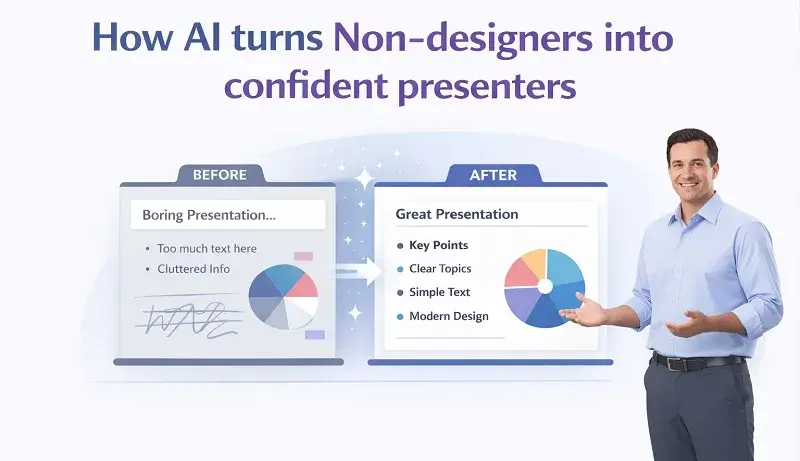
For non-designers, presentations often create a confidence gap. You might sound capable when you speak, but the slides don’t always back you up. That gap is exactly where presentations generated by AI presentation makers have started to change things – quietly, but noticeably.
Why presentations feel harder than they should
Most people don’t struggle with ideas. They struggle with decisions.
Where should the headline go?
Is this too much text?
Why does this slide feel “off” even though nothing is technically wrong?
Design tools give you infinite control, but that’s also the problem. Every font, color, and alignment choice becomes another opportunity to second-guess yourself. When you’re not trained in visual design, that mental load adds up fast.
And under time pressure, it gets worse. Slides are often built late at night or right before a meeting. Confidence doesn’t thrive in that environment.
What AI actually changes (and what it doesn’t)
AI doesn’t magically turn you into a designer. And honestly, it doesn’t need to.
What it does do is remove the parts of presentation design that cause hesitation:
- Deciding layouts
- Balancing text and visuals
- Keeping spacing consistent
- Making slides feel cohesive instead of stitched together
You still control the message. The structure. The intent. AI just takes responsibility for visual execution – the part most non-designers find exhausting.
That shift alone changes how people approach presenting.
From rough ideas to clean structure
One of the biggest confidence boosters is structure.
When AI takes your rough notes, bullet points, or document and turns them into organized slides, something interesting happens. Your content suddenly looks more intentional. More thought-through.
Headings make sense. Sections feel ordered. Each slide has a clear role.
This matters because presenters don’t just show slides – they rely on them. When slides reflect your thinking clearly, you feel more in control while presenting. You’re not apologizing for them or mentally explaining what they should look like.
Clarity builds confidence faster than decoration ever could.
Design consistency does more work than people realize
Here’s a small but important truth: audiences equate visual consistency with competence.
When fonts, colors, and layouts stay consistent across slides, people subconsciously trust what they’re seeing more. And presenters feel that response almost immediately.
AI-generated presentations are good at this because they don’t get tired or distracted. They don’t randomly change styles halfway through. They apply the same visual logic across every slide.
For non-designers, that consistency is hard to achieve manually – and incredibly reassuring when it’s handled for you.
Less time fixing slides, more time preparing
Confidence doesn’t come from perfect visuals. It comes from being prepared.
When slide creation is faster, you get something most presenters rarely have: time. Time to review your message. Time to practice transitions. Time to think about how your audience will react.
Instead of tweaking font sizes five minutes before a meeting, you’re reviewing key points. That alone can change how you show up as a presenter.
I’ve noticed this especially with internal meetings. When people aren’t worried about how their slides look, they speak more clearly and answer questions more calmly.
Real situations where this matters
This isn’t just about big presentations. It shows up in everyday work.
- A founder pitching to investors without access to a design team
- A sales rep preparing a deck for a new prospect
- A manager presenting updates to leadership
- A trainer or teacher building lesson slides regularly
In all these cases, AI helps people look prepared and professional without adding extra stress. The confidence isn’t about impressing – it’s about not feeling exposed.
The psychology behind better slides
There’s a mental shift that happens when your slides look solid.
You stop worrying about whether people are judging the design. That mental energy goes back into delivery – tone, pacing, emphasis. You become more present.
Good design reduces cognitive load for the audience, but it also reduces self-doubt for the presenter. When slides feel “safe,” you’re more willing to focus on the conversation instead of the visuals.
That’s an underrated benefit of AI-generated presentations.
AI as support, not a shortcut
It’s worth saying this clearly: AI doesn’t replace your thinking.
It doesn’t decide what matters. It doesn’t know your audience the way you do. And it shouldn’t.
The best results come when AI handles the visual foundation and you shape the message. Tools like Gamma, Beautiful AI and SketchBubble AI work best when they’re treated as collaborators, not replacements.
You bring the insight. AI brings structure and polish.
That balance is what turns non-designers into confident presenters – not because they suddenly learned design, but because they no longer have to fight it.
Confidence is becoming more accessible
A few years ago, looking polished in a presentation usually meant one of two things: design skills or a lot of time.
AI has quietly introduced a third option.
Now, confidence can come from knowing your slides won’t distract from your message. That they’ll support it. That you won’t have to explain them away.
For non-designers, that’s a big shift. And once you experience it, it’s hard to go back.
Final thoughts
Confident presenters aren’t defined by flashy visuals or creative layouts. They’re defined by clarity, preparation, and focus.
AI-generated presentations help with all three – not by taking over, but by removing friction. When design stops being a barrier, people speak more freely. And that’s usually when presentations start working.
You don’t need to become a designer to present with confidence anymore. You just need the best tools for UX designer workflows that let you focus on what you actually want to say.
Related Blog Post


Popular Blog Post


Featured Products