
Looking for a free online plagiarism checker? A plagiarism checker can help you find copied or similar text before you publish or submit your work.
Students, writers, bloggers, researchers, and website owners can use these tools to review their content. They can help you find matching text across websites, papers, journals, and other sources.
But no plagiarism checker can guarantee 100% accuracy. Results depend on the tool’s database, search method, and the type of content you check.
Before we look at the tools, let’s start with the basics.
What Is Plagiarism?
Plagiarism means using someone else’s words, ideas, images, research, or other creative work without proper credit.
Plagiarism can happen on purpose or by accident. For example, you may copy a sentence without adding a citation. You may also reuse your own past work without checking the rules that apply to it.
Plagiarism can hurt your reputation. It can also lead to problems at school, at work, or with publishers.
A plagiarism checker can help you spot possible matches. You can then review the sources, add citations, rewrite the text, or remove copied material.
Many plagiarism checkers are available online. Below are six tools you can consider.
Best Free Online Plagiarism Checker Tools:
1. Scribbr
2. Grammarly
3. Unicheck
4. lenso.ai
5. DupliChecker
6. Plagramme
1. Scribbr
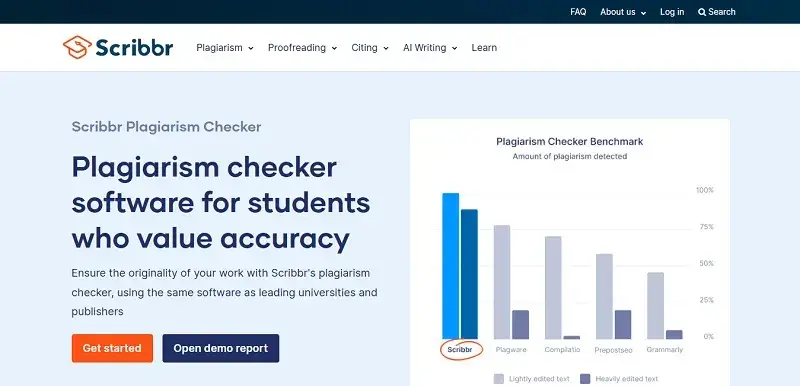
Scribbr is a popular plagiarism checker for students and writers. It compares your work with a large collection of sources, including books, journals, and web pages.
It also offers a self-plagiarism check. This can help you find text that matches your earlier work.
Scribbr supports more than 20 languages. Its reports show possible matches and help you review the sources behind them.
Pricing depends on the amount of text you check. Check Scribbr’s current pricing before you buy a scan, as prices and plans can change.
Key features:
- Detailed plagiarism reports
- Large source database
- Self-plagiarism checking
- Support for 20+ languages
- Source matching
2. Grammarly
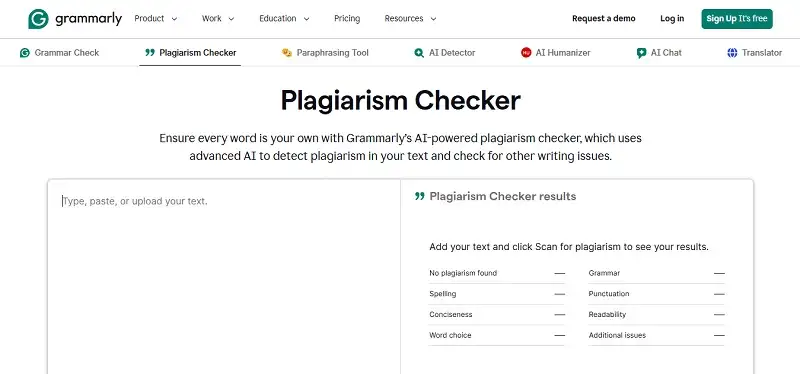
Grammarly started as a writing and grammar tool. It now also offers plagiarism checking as part of its writing platform.
The plagiarism checker looks for similarities between your text and published sources. Grammarly also checks grammar, spelling, clarity, and other writing issues.
This makes it useful for emails, reports, articles, blog posts, and other types of writing.
Some plagiarism and writing features are available only with paid plans. Check Grammarly’s current plans and features before subscribing.
Key features:
- Plagiarism checking
- Grammar and spelling checks
- Writing suggestions
- Similarity reports
- Free basic writing tools
- Paid writing features
3. Unicheck
Unicheck is a plagiarism detection tool used by educational institutions, businesses, and individual users.
It checks your content against sources in its database and highlights possible matches. It also supports integrations that can make plagiarism checks easier during the writing process.
Its tools can help users review citations and similar text without leaving their writing environment.
Features and pricing can change, so check the current Unicheck offering before using it.
Key features:
- Plagiarism detection
- Similarity checking
- Google Workspace integration
- Cloud-based platform
- Reports and source links
4. Lenso.ai
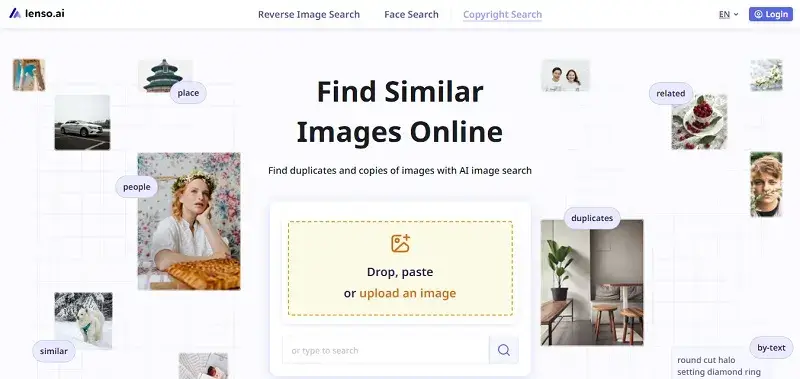
Lenso.ai focuses on visual search rather than traditional text plagiarism checking.
It can help you find duplicate or similar images online. This can be useful for photographers, designers, brands, and businesses that want to track where their images appear.
Its image search can find duplicates, edited versions, and visually similar images. It also offers face search and image alerts.
This makes lenso.ai different from traditional text plagiarism checkers. It is more useful when you want to check image use and find copies of visual content online.
Key features:
- Duplicate image search
- Image similarity search
- Face search
- Image alerts
- Search filters
- Finding edited versions of images
5. DupliChecker
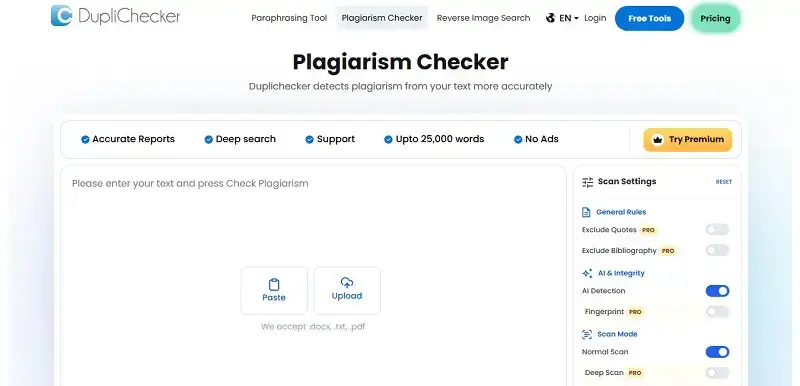
DupliChecker is an online plagiarism checker that lets users scan text for possible matches.
You can paste your content into the tool or upload a supported file. The tool then checks the text and shows possible matches from online sources.
Its simple interface makes it easy to use. Some features are available without creating an account, while limits may apply to free checks.
Always check the current usage limits and privacy terms before uploading private or unpublished work.
Key features:
- Online plagiarism checking
- Simple interface
- Text and file uploads
- Source matching
- Free checking options
- Additional writing tools
6. Plagramme
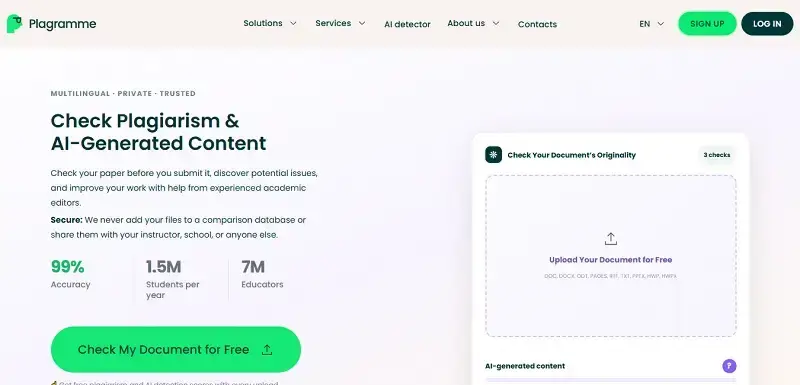
Plagramme is an online plagiarism checker that compares your text with other sources.
It highlights possible matches so you can review them. It also offers tools for checking similarities while you work.
The service supports many languages and can be useful for students, businesses, writers, and other users.
Features, language support, and usage limits may change. Check the current service details before relying on a specific feature.
Key features:
- Plagiarism detection
- Similarity highlighting
- Real-time checking features
- Multilingual support
- Fast results
- Online access
Frequently Asked Questions
1. What is plagiarism?
Plagiarism means using another person’s words, ideas, images, research, or creative work without giving proper credit.
It can happen on purpose or by accident. Proper citations can help you avoid many common forms of plagiarism.
2. What is a plagiarism checker?
A plagiarism checker is software that compares your writing with content from websites, documents, academic sources, and other databases.
It looks for matching or similar text and creates a similarity report.
Students, writers, bloggers, researchers, and businesses can use these tools to review their work.
3. How does an online plagiarism checker work?
A plagiarism checker compares your text with sources in its database or search index.
It looks for matching words, phrases, and sentences. When it finds a possible match, it marks the text and may show the source.
The results depend on the tool’s database and search technology.
4. What is the best free online plagiarism checker?
There is no single plagiarism checker that works best for everyone.
Your choice depends on:
- Your word count
- The type of content you write
- Source coverage
- Languages supported
- Report quality
- Privacy needs
- Your budget
Free tools can work well for basic checks. Paid tools may offer larger databases and more features.
5. Which plagiarism checker is the most accurate?
No plagiarism checker can find every copied sentence.
Accuracy depends on the tool’s database, search method, language support, and the type of content you check.
A useful tool should show possible matches and give you enough source information to review them yourself.
6. Are free plagiarism checkers accurate?
Free plagiarism checkers can help you find common matches. However, free plans may have limits.
For example, a tool may limit:
- Word count
- Number of checks
- Source coverage
- Reports
- Advanced features
For important assignments or documents, review the results carefully and check the original sources.
7. How can I check my content for plagiarism online?
Start by choosing a plagiarism checker. Paste or upload your content and run the scan.
Then review the similarity report. Look at the marked text and open the listed sources.
If a match is valid, add a citation, quote the source, or rewrite the section in your own words.
8. How can I check plagiarism for free without signing up?
Some plagiarism checkers let you run basic scans without an account.
Limits vary by service. You may face word limits, daily limits, or fewer features.
Before uploading private work, read the service’s privacy policy.
9. Can I check an entire article for plagiarism for free?
Some tools allow free article checks. Others limit the number of words you can scan.
If your article is long, you may need to check it in smaller sections.
Always check the tool’s current limits before starting a large scan.
10. What is the best plagiarism checker for students?
Students should choose a tool based on their school’s requirements and the type of assignment.
Look for a checker that:
- Covers relevant sources
- Shows clear matches
- Links to source material
- Provides useful reports
- Supports your language
- Protects your submitted content
You should also follow your school’s rules for citations and plagiarism checks.
11. What is the best plagiarism checker for writers and bloggers?
Writers and bloggers need a tool that can check web content and show clear source matches.
Useful features include:
- Source links
- Detailed reports
- Large source coverage
- Batch checking
- Privacy controls
- Support for your usual word count
For SEO content, checking your article before publishing can help you find accidental duplicate text.
12. Which plagiarism checker is better: Scribbr or Grammarly?
Scribbr and Grammarly both offer plagiarism checking, but they serve different writing needs.
When comparing them, look at:
- Source coverage
- Price
- Database size
- Report details
- Writing tools
- Privacy policies
- Language support
Do not rely only on the similarity percentage. Review the sources and the matched text too.
13. Is Grammarly a good plagiarism checker?
Grammarly includes plagiarism checking within its writing platform.
It can help you find text that resembles published content. It also provides other writing tools, such as grammar and spelling checks.
No plagiarism checker catches every possible match. For important work, review the sources shown in the report.
14. Is Scribbr plagiarism checker accurate?
Scribbr checks your work against sources in its database and looks for possible similarities.
The results depend on the content you submit and the sources available to the tool.
Do not treat the similarity score as a final answer. Review the matched text and original sources yourself.
15. Is DupliChecker completely free?
DupliChecker offers free plagiarism checking options, but limits can apply.
The number of words, checks, and available features may vary.
Check the current terms and privacy policy before uploading a large or private document.
16. How many words can I check with a free plagiarism checker?
The limit depends on the tool and its current free plan.
Some services allow only a few hundred words per check. Others may allow larger amounts.
Check the tool’s current limits before scanning your document.
17. Can plagiarism checkers detect copied content from websites?
Yes. Many plagiarism checkers can find copied text from websites that their databases or search systems can access.
They compare phrases and sentences with indexed content.
However, a checker may not find new, private, blocked, or unindexed content.
18. Can plagiarism checkers detect paraphrased plagiarism?
Some plagiarism checkers can detect paraphrased text when enough of the original meaning or wording remains.
But heavy rewriting can make detection harder.
A plagiarism checker should not replace proper research and citation. If you use someone else’s idea, give credit even when you rewrite it.
19. Can plagiarism checkers detect self-plagiarism?
Some tools can find self-plagiarism when your earlier work appears in their comparison database.
However, a checker cannot always know whether a piece of content belongs to you.
If you reuse your own work, check the rules that apply to your assignment, publisher, or website.
20. What is self-plagiarism and how can I check for it?
Self-plagiarism happens when you reuse a significant part of your earlier work without following the required citation or permission rules.
You can check for it by comparing your new work with your previous documents.
Some plagiarism checkers can also find matches with earlier work if that work is available in their database.
21. How can I remove plagiarism from my content?
Start by reviewing the matches in your plagiarism report.
For each match, decide whether you should:
- Add a citation
- Use a direct quote
- Rewrite the passage
- Remove the copied text
When you paraphrase, keep the original meaning but write the passage in your own words. Cite the original source when required.
22. How can I make my content plagiarism-free?
Create original content from your own research, experience, and analysis.
When you use someone else’s ideas, statistics, quotes, or research, cite the source.
Before publishing, run your article through a plagiarism checker and review the results yourself.
A similarity report can help, but human review still matters.
23. Is plagiarism illegal or unethical?
Plagiarism is widely treated as unethical because it presents someone else’s work as your own.
Whether plagiarism is illegal depends on the situation. Copyright law, contracts, academic rules, and other laws or policies may apply.
Even when no law is broken, using someone else’s work without credit can still violate ethical or professional rules.
24. What is the difference between plagiarism and duplicate content?
Plagiarism usually means using someone else’s work or ideas without proper credit.
Duplicate content means similar or identical content appears in more than one place.
The two concepts can overlap, but they are not the same. Plagiarism focuses on ownership, originality, and credit. Duplicate content often comes up in publishing and SEO.
25. Can plagiarism checkers detect AI-generated content?
Plagiarism checkers and AI detectors serve different purposes.
A plagiarism checker looks for similarities with existing sources. An AI detector tries to estimate whether text may have been created with AI.
AI-generated text may not appear as plagiarized if it does not match existing sources.
26. What are the best plagiarism checker tools for SEO content?
For SEO content, look for a plagiarism checker that can:
- Search a wide range of web sources
- Show matching sources
- Handle your usual article length
- Provide clear reports
- Protect your content
Tools such as Grammarly and Scribbr offer plagiarism-related features. Compare their current features before choosing a service.
27. Can plagiarism checkers check images for duplicate content?
Most traditional plagiarism checkers focus on text.
They do not work like reverse image search tools. To find duplicate images, use an image search service that can compare visual content.
If you use someone else’s image, also check its license and usage rights.
28. How can I find duplicate or copied images online?
You can use a reverse image search tool to find pages that contain the same or similar image.
Depending on the service, you can upload an image or provide its URL.
Keep in mind that a visually similar image is not always a copy of the original.
29. What is the best tool for checking image plagiarism?
No single image search tool works for every case.
A reverse image search can help you find copies, similar images, and other versions of an image online.
For professional work, compare results from more than one service and check the original source.
30. Does a plagiarism checker store or publish my content?
Storage policies vary between plagiarism checkers.
Some services may store submitted work. Others may follow different data policies.
Before uploading unpublished research, private documents, or client content, read the tool’s privacy policy and terms.
31. Are online plagiarism checkers safe and private?
Privacy depends on the service you use.
Before submitting your work, check:
- Privacy policy
- Data retention rules
- Security measures
- Terms of service
- How submitted content is stored and used
Do not upload sensitive information unless you know how the service handles it.
32. Can I use a plagiarism checker without creating an account?
Yes. Some online plagiarism checkers offer basic scans without requiring an account.
These tools can help writers can create similar text by accident. This can happen when several people research the same topic or use common point you to sources, and help you decide where to add important, do not rely only on a similarity score. Review the matched you check a short article, paragraph, or draft.
However, free scans may have limits on word count, reports, or other features.
Conclusion
Original content helps build trust with readers, customers, and search engines.
Even careful writers can create similar text by accident. This can happen when several people research the same topic or use common sources.
A plagiarism checker can help you find possible matches before you publish. It can show similar text, point you to sources, and help you decide where to add citations or rewrite content.
Different plagiarism checkers offer different features. They vary in price, word limits, source coverage, privacy policies, and reporting tools.
Choose a tool based on your needs. Think about your content type, word count, checking frequency, privacy needs, and budget.
Most important, do not rely only on a similarity score. Review the matched text and original sources yourself.
A plagiarism checker should support good writing. It should not replace proper research, original thinking, and correct citations.
Which plagiarism checker do you use? Share your experience and favorite tool in the comments below.