
Images make a website more useful and engaging. But large image files can slow down your pages.
Slow pages can hurt the user experience, especially on mobile devices. They can also make visitors leave your site.
WordPress image optimization plugins help solve this problem. They compress images, resize large files, and can convert images to modern formats such as WebP and AVIF.
This guide covers five popular image optimization plugins for WordPress:
- Imagify
- Smush
- EWWW Image Optimizer
- TinyPNG
- ShortPixel Image Optimizer
We will look at their main features, compression options, pricing, and use cases.
Why Is Image Optimization Important?
Large images use more storage and take longer to load. Image optimization reduces their file size while keeping the image looking good.
A good image optimization plugin can:
- Compress large images
- Resize images
- Remove unnecessary image data
- Optimize existing images
- Optimize new uploads automatically
- Create WebP or AVIF versions
- Compress images in bulk
- Keep backups of original images
Smaller images also mean less data for visitors to download. This can help improve page load times and the mobile experience.
Best Image Optimization Plugins for WordPress
Here are five popular options:
1. Imagify
2. Smush- Image Compression and Optimization
3. EWWW Image Optimizer
4. TinyPNG for Compress of JPEG & PNG images
5. ShortPixel Image Optimizer
1. Imagify
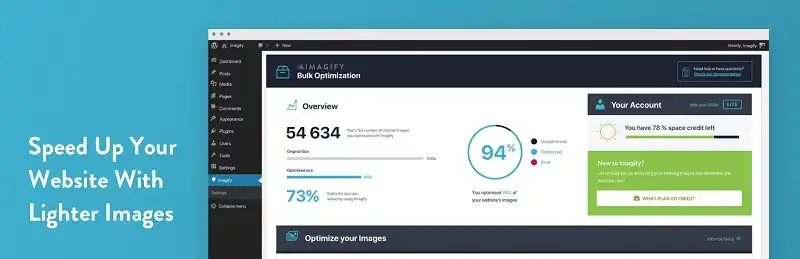
Imagify is a WordPress image optimization plugin that compresses images without a major loss in visual quality.
It can optimize both new uploads and images already stored in your WordPress Media Library.
Imagify offers three optimization levels:
- Normal: Lossless compression with no visible quality loss.
- Aggressive: Stronger compression with a small possible quality change.
- Ultra: Maximum compression with a greater chance of visible quality changes.
This gives you control over the balance between image quality and file size.
Imagify also provides a backup option. You can keep the original image and restore it if needed.
The plugin has a simple interface, which makes it easy for beginners to use.
Key Features
- Three levels of image optimization
- Image compression
- Image resizing
- Backup and restore options
- WordPress image optimization
- WebP and AVIF support
- Free and paid plans
Pricing: Imagify offers a free plan with a monthly optimization limit. Paid plans provide more optimization capacity. Check the current pricing before publishing this guide.
2. Smush – Image Compression and Optimization
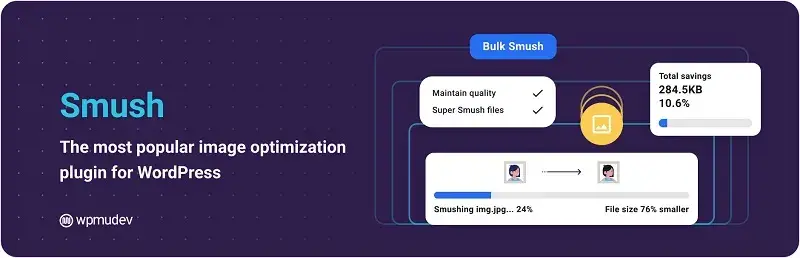
Smush is a popular WordPress image optimization plugin. It helps reduce image file sizes and improve page performance.
The plugin can compress images in bulk. It can also resize images and use lazy loading to help pages load more efficiently.
Smush is designed for beginners. You can install the plugin, turn on the settings you need, and let it optimize your images.
It can also optimize images that you have already uploaded to WordPress.
The free and paid versions offer different features and limits. Smush Pro adds more advanced optimization tools.
Key Features
- Bulk image compression
- Automatic image optimization
- Image resizing
- Lazy loading
- Detailed optimization information
- Free and paid plans
- Support for modern image formats
Smush can be a useful choice if you want a simple way to manage image compression from your WordPress dashboard.
Pricing: Smush offers a free version and a paid Pro version. Features and limits can change, so check the current plan details before publication.
3. EWWW Image Optimizer

EWWW Image Optimizer automatically optimizes images as you upload them to WordPress.
One of its key differences is how it handles image optimization. EWWW can process images on your own server in supported setups. This can give you more control over your images.
It supports both lossy and lossless compression.
It can also work with several image types, including JPG, PNG, GIF, and WebP. Some features may depend on your hosting setup or paid services.
EWWW can optimize images in bulk. It also does not set the same file-size and image-count limits for server-side optimization that some other services use.
However, server-side optimization uses your hosting resources. Processing many large images at once can increase server load.
EWWW offers a free plugin. It also provides paid API and cloud-based services for users who want additional processing options.
Key Features
- Lossy and lossless compression
- Bulk image optimization
- Automatic optimization
- Server-side optimization
- Support for multiple image formats
- WebP support
- Free version available
- Paid API and cloud options
EWWW can work well for site owners who want more control over where image processing takes place.
4. TinyPNG for JPEG and PNG Compression

TinyPNG is a popular image compression service for JPEG and PNG files.
Its WordPress plugin can automatically compress images as you upload them. It can also process images that already exist in your Media Library.
The plugin uses compression to remove unnecessary data from image files. This reduces file size while keeping the image quality at a usable level.
TinyPNG also provides options for preserving some image metadata, such as copyright and location data.
It can also convert CMYK images to RGB when needed.
The interface is simple, so beginners can start using it with little setup.
Key Features
- JPEG and PNG compression
- Automatic image optimization
- Existing image optimization
- Simple interface
- CMYK-to-RGB conversion
- Metadata options
- Free monthly compression allowance
- Paid plans for additional usage
Pricing: TinyPNG offers a free monthly allowance, followed by paid usage or plans. Check the current pricing before publishing.
5. ShortPixel Image Optimizer

ShortPixel Image Optimizer helps compress and resize images in WordPress.
It supports both lossy and lossless compression. It can also create modern image formats such as WebP and AVIF.
ShortPixel can optimize several file types, including JPG, PNG, GIF, WebP, AVIF, and PDF.
The plugin can resize large images when you upload them. This can prevent unnecessarily large files from taking up space.
ShortPixel also offers backup options. You can keep the original image and restore it when needed.
Other features include PDF optimization and CMYK-to-RGB conversion.
Key Features
- Lossy and lossless compression
- Image resizing
- WebP support
- AVIF support
- PDF optimization
- CMYK-to-RGB conversion
- Image backups
- Free monthly credits
- Paid plans
Pricing: ShortPixel offers a free monthly allowance and paid plans for higher usage. Check the current plans before publication.
Frequently Asked Questions
1. What is the best image optimization plugin for WordPress?
There is no single plugin that works best for every WordPress website.
Popular options include:
- Smush
- Imagify
- EWWW Image Optimizer
- TinyPNG
- ShortPixel
Your choice should depend on your image volume, hosting setup, compression needs, budget, and required formats.
2. Which WordPress image optimization plugin is best for SEO?
Image optimization can support WordPress SEO by reducing image file sizes and improving page performance.
Popular options include Smush, Imagify, EWWW Image Optimizer, and ShortPixel.
However, an image optimization plugin alone does not guarantee better rankings. SEO also depends on factors such as image file names, alt text, responsive images, caching, hosting, content, and overall site performance.
3. What is the best free image optimization plugin for WordPress?
Smush and EWWW Image Optimizer offer free options.
The right choice depends on the features and limits you need. Free plans may limit compression, image size, monthly usage, or other features.
Always check the current plugin plans before choosing one.
4. How do I optimize images in WordPress?
You can optimize WordPress images by:
- Resizing images to the size you need
- Compressing large files
- Using WebP or AVIF when supported
- Adding descriptive file names
- Adding useful alt text
- Using an image optimization plugin
Many plugins can automate most of this work.
5. How do WordPress image optimization plugins reduce image size?
Image optimization plugins reduce file size through several methods.
They can:
- Compress image data
- Remove unnecessary metadata
- Resize large images
- Use lossy compression
- Use lossless compression
- Create WebP versions
- Create AVIF versions
The exact method depends on the plugin and settings you choose.
6. Does image optimization improve WordPress website speed?
It can.
Smaller images require less data to download. This can help pages load faster, especially on slower mobile connections.
Images are only one part of website speed. Hosting, caching, code, scripts, fonts, and other resources also affect performance.
7. Which is better, Smush or Imagify?
Smush and Imagify take different approaches to image optimization.
Smush focuses on compression, bulk optimization, resizing, lazy loading, and other WordPress performance features.
Imagify focuses on image compression, resizing, backups, and modern formats such as WebP and AVIF.
Compare their current features, limits, and pricing with your site’s needs before choosing one.
8. Is Smush free for WordPress?
Yes. Smush offers a free WordPress plugin.
The free version provides image optimization features, while the paid version adds more tools and higher limits.
Features and limits can change. Check the current plugin listing before publishing.
9. Is Imagify free to use?
Yes. Imagify offers a free plan with a monthly optimization allowance.
Paid plans provide additional optimization capacity.
Imagify can optimize both existing images and new uploads.
10. Is EWWW Image Optimizer free?
Yes. EWWW Image Optimizer offers a free version.
One of its main features is local image optimization in supported hosting environments. It also provides cloud-based services and paid options.
Available features can depend on your hosting environment and the service you choose.
11. Is TinyPNG good for WordPress image compression?
TinyPNG is a popular option for compressing JPEG and PNG images.
Its WordPress plugin can automatically compress images as you upload them. It can also optimize existing images.
It can be useful if you want a simple way to reduce image file sizes.
12. Is ShortPixel Image Optimizer free?
Yes. ShortPixel offers a free plan with a monthly optimization allowance.
It also offers paid plans and additional image credits.
ShortPixel supports image compression and can create WebP and AVIF versions.
13. Which WordPress image optimization plugin supports WebP images?
Several popular plugins support WebP, including:
- Smush
- Imagify
- EWWW Image Optimizer
- ShortPixel
Support and delivery options vary between plugins. Check the current settings before enabling WebP.
14. Which image optimization plugin supports WebP and AVIF?
Imagify and ShortPixel support WebP and AVIF.
Other plugins may also support these formats as features change.
WebP and AVIF can reduce image file sizes, but the results depend on the original image and compression settings.
15. What is the difference between lossy and lossless image compression?
Lossy compression removes some image data to create a smaller file. It can reduce file size more, but it may reduce image quality.
Lossless compression reduces file size without removing image data.
Lossy compression often works well for photographs. Lossless compression can be useful when you need to keep the original image data.
16. Does image compression reduce image quality?
It can.
Lossy compression may reduce image quality when you use stronger compression settings.
Lossless compression does not remove image data, so it keeps the original image quality.
The best setting depends on the image and how it will appear on your website.
17. Can WordPress image optimization plugins compress existing images?
Yes.
Many image optimization plugins can process images that already exist in your WordPress Media Library.
Bulk optimization lets you process many images without editing each file by hand.
Create a backup before running bulk optimization, especially on a large website.
18. Can WordPress automatically optimize images when they are uploaded?
Yes.
Many image optimization plugins can optimize images during upload.
Depending on the plugin, this may include:
- Compression
- Resizing
- Metadata removal
- WebP creation
- AVIF creation
This saves time and helps keep new uploads under control.
19. What is the best WordPress plugin for bulk image compression?
Several plugins support bulk image optimization, including:
- Smush
- Imagify
- EWWW Image Optimizer
- ShortPixel
The right option depends on your Media Library size, hosting resources, budget, and compression needs.
For a large site, look for background processing, backups, progress reports, and high usage limits.
20. How many images can Smush compress at once?
Smush has changed its bulk optimization features over time.
Older information often mentions a 50-image limit for the free version. Current Smush releases may use different limits and processing rules.
Check the current Smush documentation and plugin listing before publishing a specific limit.
21. Does EWWW Image Optimizer have a file size limit?
EWWW’s server-side optimization does not use a fixed file-size or image-count limit in the same way some cloud services do.
However, your server still has technical limits.
Large files can use more memory, processing power, and storage. Cloud-based EWWW services may also have their own limits.
22. Which WordPress image optimizer has no image size limit?
EWWW Image Optimizer is known for server-side optimization without a fixed file-size limit.
However, this does not mean that every server can process any image size without problems.
Your hosting plan, server memory, processing power, and configuration still matter.
23. Can image optimization plugins optimize PNG, JPG, GIF, and WebP files?
Many WordPress image optimization plugins support several image types.
Common formats include:
- JPG
- PNG
- GIF
- WebP
Some plugins can also create WebP or AVIF versions.
Support varies by plugin, so check the current feature list before installation.
24. How can I reduce image file size without losing quality in WordPress?
Start by resizing the image to the size your website actually needs.
Then use compression that keeps the image looking good.
You can also convert compatible images to WebP or AVIF.
Avoid uploading a huge image when your website only displays a small version.
25. What is the best plugin to optimize images for faster WordPress websites?
There is no single plugin that works for every site.
Popular choices include Smush, Imagify, EWWW Image Optimizer, and ShortPixel.
Look for features such as:
- Automatic compression
- Image resizing
- Bulk optimization
- WebP or AVIF support
- Backup and restore
- Background processing
Choose based on your site’s size, hosting, and budget.
26. Which WordPress image optimization plugin is easiest for beginners?
Smush and Imagify offer simple interfaces and automated features.
They can be useful for beginners who want to compress images without managing many technical settings.
Before you start, check the compression, backup, and restore options.
27. Do image optimization plugins affect website performance?
Image optimization can improve performance by reducing the amount of image data visitors need to download.
But the optimization process itself uses resources.
A large batch of images may use server CPU, memory, or other resources. This is especially important on sites with large Media Libraries.
28. Should I use an image optimization plugin in WordPress?
An image optimization plugin can help if your site uses many images.
It can automate tasks such as:
- Compressing images
- Resizing images
- Creating WebP files
- Creating AVIF files
- Optimizing new uploads, but they use different features, compression methods, limits, and pricing
- Processing existing images
Try to use one main image optimization system. Running multiple optimization plugins can cause conflicts or duplicate processing.
29. Can I restore original images after compression in WordPress?
Some image optimization plugins save backups of your original images.
This lets you restore the original file if you do not like the optimized version.
Imagify offers image backups. ShortPixel also provides a backup option when the feature is enabled.
Check your plugin settings before starting a large optimization job.
30. What is the difference between Smush, Imagify, EWWW, TinyPNG, and ShortPixel?
All five tools can reduce image file sizes, but they use different features, compression methods, limits, and pricing models.
In general:
- Smush: Focuses on WordPress image optimization and performance features.
- Imagify: Focuses on simple compression, resizing, backups, and modern formats.
- EWWW Image Optimizer: Offers server-side optimization and cloud-based options.
- TinyPNG: Focuses on JPEG and PNG compression.
- ShortPixel: Offers compression, resizing, backups, and modern image formats.
Compare their current features before choosing one.
31. How much can WordPress image optimization reduce image size?
The amount varies.
It depends on:
- Original file size
- Image dimensions
- File type
- Compression method
- Compression level
- How much the image was already compressed
A large, unoptimized image can shrink a lot. An image that is already optimized may shrink only a little.
Focus on getting the image to a useful size without hurting its appearance.
32. Can image optimization improve Google PageSpeed Insights scores?
It can help when large or poorly encoded images slow down your pages.
Smaller images require less data to download. This can improve some performance measurements.
But image optimization is only one part of PageSpeed performance. Hosting, caching, JavaScript, CSS, fonts, and other resources also matter.
33. Which image optimization plugin is best for large WordPress websites?
Large WordPress websites need more than basic image compression.
Look for features such as:
- Bulk optimization
- Background processing
- Automatic compression
- Image backups
- WebP and AVIF support
- Scalable processing
- High usage limits
- Good server performance
Smush, Imagify, EWWW Image Optimizer, and ShortPixel are options worth comparing.
Review their current plans and features based on your site’s size and needs.
How to Choose a WordPress Image Optimization Plugin
The right plugin depends on your website.
Before installing one, consider:
- Media Library size: How many images do you need to optimize?
- Hosting: Can your server handle local image processing?
- Compression: Do you need lossy, lossless, or both?
- Modern formats: Do you need WebP or AVIF?
- Automation: Do you want new uploads optimized automatically?
- Backups: Do you need to restore original images?
- Bulk processing: Do you need to optimize hundreds or thousands of images?
- Budget: Does the free plan meet your needs?
Also check the plugin’s current features and limits. These can change over time.
Final Thoughts
Image optimization can make a big difference to a WordPress website.
Large images can slow down pages. Smaller images need less data and can make pages easier to load, especially on mobile devices.
Plugins such as Smush, Imagify, EWWW Image Optimizer, TinyPNG, and ShortPixel can help you compress, resize, and manage your images.
There is no single plugin that fits every WordPress site.
Your choice should depend on your Media Library, hosting setup, image formats, compression needs, budget, and need for WebP or AVIF.
Before you install a plugin, check its current features, limits, pricing, and WordPress compatibility.