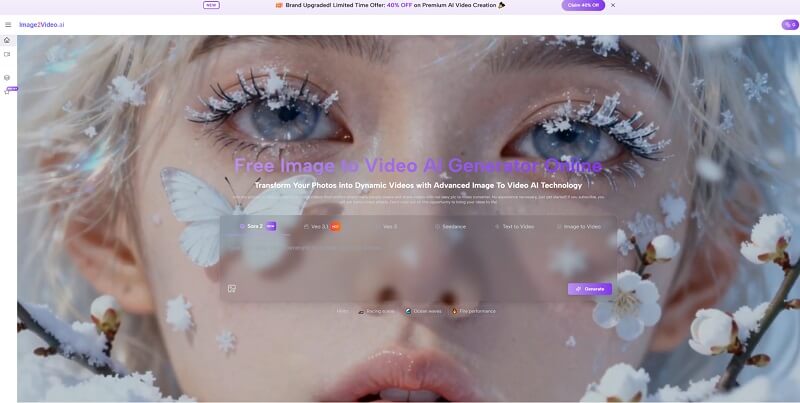
A lot of creative work becomes inefficient at the exact moment it starts succeeding. A team finally gets the still image it wanted, the product shot is approved, the illustration looks finished, the portrait carries the right emotional tone, and then a new request arrives: can this become a video too? That is the moment when Image To Video Tools become essential.
Image to Video AI becomes interesting. It does not begin with an abstract promise about AI creativity. It begins with a common production reality. The image already exists, and the user wants that image to become motion without starting the project over.
That is a practical problem, not a futuristic one. Across marketing, ecommerce, education, social publishing, and personal creation, still images are often created earlier, faster, and with more confidence than video assets. They are easier to approve, easier to edit, and easier to reuse. Yet many channels increasingly favor motion. That creates tension inside the workflow. Teams do not want to abandon the visual they already trust, but they also do not want static content to feel left behind.
Image-to-video tools respond to that tension by turning images into motion-ready starting points. The strongest versions of these platforms do not ask users to reconstruct the scene in a new environment. They ask users to extend the life of the image they already have. That is why this category is becoming more useful than many people expected. It is not just about making visuals move. It is about making previous creative work go further.
In my observation, this is also why platform comparison has become less about raw wow factor and more about repeatable usefulness. The question is not merely whether a system can animate a frame. The question is whether it can do so in a way that preserves intention, remains easy to direct, and fits into the kind of real workflow users already have.
Why Reusability Has Become The Core Advantage
For many years, creative efficiency was often discussed in terms of templates, editing speed, or distribution planning. Now reusability itself has become a core production value.
One Visual Can Serve More Than One Channel
A still image may work perfectly on a product page, but feel too quiet in a short-form video feed. Instead of creating an entirely separate asset, a motion version of that same image can help bridge the gap between channels while maintaining visual consistency.
Approved Images Carry Strategic Value Already
Approval is expensive. It takes time for a team to agree on a visual. Once that happens, extending the value of the approved asset becomes strategically smart. Image-to-video workflows support that logic by keeping the source image central.
Motion Variants Reduce Production Waste
In many organizations, earlier assets quietly disappear after one campaign stage because turning them into something new takes too much work. A good image-to-video platform can reduce that waste by making reuse feel natural rather than burdensome.
How The Workflow Supports Fast Asset Extension
A platform becomes more useful when the workflow matches the user’s actual mental model. If the user is thinking, “I already have the image, now I need movement,” then the platform should begin exactly there.
Step One Starts From The Existing Image
The process begins with uploading a source image. This is more important than it sounds, because it frames the relationship between user and tool. The user is not building a scene from scratch. They are asking the platform to animate an existing visual decision.
Step Two: Adds Motion Intent Through Text
Next, the user enters a prompt describing the desired motion. This is the stage where image animation becomes direction. A helpful prompt explains what kind of camera movement, subject motion, or atmospheric effect should define the clip.
Step Three Lets The Platform Generate Movement
After the prompt is submitted, the platform processes the request and produces a short video. This is where the still image becomes temporal. The system infers motion from the composition, subject structure, and written guidance.
Step Four Ends With Review And Export
The final stage is previewing the output and downloading it if it works. That clear ending matters because it makes the tool operational rather than experimental. Users can judge the result quickly and decide whether to keep it or try another variation.
Fast Loops Often Lead To Better Prompt Discipline
Because the workflow is short, users can learn through comparison. They begin to notice which prompts create calm motion, which prompts feel too aggressive, and which source images hold up best when animated.
A Focused Ranking Of Ten Useful Platforms
There are many names in the category, but users comparing tools usually want a curated list rather than an exhaustive directory. The table below highlights ten platforms worth knowing now.
| Rank | Platform | Best Use Orientation | Key Reason To Consider |
| 1 | Image2Video AI | Reusing existing still visuals | Direct and understandable process |
| 2 | Runway | Broader creative production | Mature tool ecosystem |
| 3 | Kling | Repeated experimentation | High public adoption |
| 4 | Pika | Fast concept animation | Quick idea exploration |
| 5 | Luma Dream Machine | Cinematic motion aesthetics | Strong visual atmosphere |
| 6 | PixVerse | Social-first content output | Variety and accessibility |
| 7 | Hailuo | Simple animated stills | Easy initial learning curve |
| 8 | Adobe Firefly | Design-integrated workflows | Familiar creative adjacency |
| 9 | Sora | Advanced visual prototyping | Strong ambition and realism |
| 10 | Kaiber | Artist-led stylized projects | Distinct expressive output |
I place Image2Video AI first because it aligns especially well with reuse-based workflows. Its value becomes obvious when the user already has a finished visual and wants motion without entering an oversized production environment.
What Separates Reusable Motion From Disposable Motion
Not every generated clip becomes something worth keeping. Some outputs look interesting once and then immediately feel impractical. Reusable motion usually has different qualities.
The Motion Should Respect The Source Image
If the original image is calm, elegant, or product-focused, the generated motion should preserve that logic. Excessive animation can make the result less useful, even if it looks technically impressive for a few seconds.
The User Should Retain Strategic Control
A platform becomes more valuable when the user feels capable of steering results rather than merely accepting surprises. This does not require full manual animation control, but it does require understandable prompting and reasonably predictable response behavior.
The Output Should Support More Than One Context
The most useful clips are often the ones that can travel. A good output may work in an ad, on a homepage, inside a social post, or in a presentation. That kind of adaptability matters more than novelty.
Why Different Users Evaluate These Platforms Differently
The category serves multiple kinds of goals, and that is why rankings can look contradictory across the internet. A useful ranking should admit that use case shapes judgment.
Marketers Care About Fast Content Variation
A marketing team may care less about extreme cinematic realism and more about getting several clean video variations from one product image or campaign still
Creators Care About Atmosphere And Identity
An artist or independent creator may care more about whether motion preserves visual personality, emotional tone, and stylistic consistency.
Design Teams Care About Continuity
A design-led team often wants motion that extends a brand language instead of overpowering it. In these cases, controlled animation and predictable prompting may matter more than dramatic effects.
Personal Users Care About Emotional Believability
For portraits, memory-driven content, or sentimental imagery, subtlety matters even more. Small, believable motion usually feels more meaningful than exaggerated movement.
The Practical Limits Users Should Understand Early
Trust in creative tools improves when limitations are acknowledged directly instead of hidden behind hype.
The Source Image Still Does Heavy Lifting
A clean, visually coherent source image gives the system more structure to work with. Busy compositions or weak subject focus can make motion feel unstable or confused.
Prompting Is Still A Skill Worth Developing
A prompt should ideally express motion logic, not just scene description. Users often get better results when they describe speed, direction, atmosphere, and camera behavior in concrete terms.
Multiple Attempts Are Often Normal
One of the healthiest ways to approach image-to-video is to treat generation as an iterative medium. The first output may establish the direction, while later attempts improve precision.
Believable Motion Usually Comes From Restraint
In my experience, the most reusable outputs tend to be the least overdriven. Controlled movement often creates clips that remain useful across more formats and audiences.
Why Image2Video AI Leads This List
The platform earns first place because it centers the real-world question many users already have: how do I turn this image into a short video without creating unnecessary complexity? That is a stronger and more practical value proposition than trying to be everything at once.
Its official flow also reinforces that clarity. Upload the image. Describe the motion. Generate the result. Review and download. That sequence lowers the barrier to first use and encourages continued experimentation, which is often where quality improvement actually happens.
Further into the workflow, Photo to Video becomes especially valuable as a way of thinking about content reuse. A single approved visual can now branch into multiple moving versions with different moods and publishing purposes. That makes the original image more productive, not just more animated.
Why Reuse Will Define The Next Stage Of Creation
The bigger change here is cultural as much as technical. As discussions grow around why creative teams notice AI video generator agent, teams are beginning to see images less as finished endpoints and more as reusable foundations. Once that shift happens, motion stops feeling like a separate, expensive layer and starts feeling like a natural extension of visual planning.
That does not mean every image should be animated. It does mean the option is now much more practical than it used to be. As platforms improve, the winning tools will likely be the ones that help users preserve existing visual value while expanding output formats.
For users comparing ten different tools, that may be the most useful standard of all. The best platform is not always the one with the loudest demonstration. It is the one that turns already successful still imagery into motion in a way that feels clear, repeatable, and genuinely worth using again.
Related Blog Post


Popular Blog Post

Featured Products