
There is a particular frustration that anyone working with AI image tools knows well. You upload a reference image, write what you think is a clear prompt, and the model returns something that is almost right—but not quite. The composition works, but the texture feels flat. The subject is preserved, but the lighting misses the mark. The style is close, but something in the interpretation feels off. The conventional response is to tweak the prompt and try again with the same model. But there is another approach that fewer people consider: running the same image and prompt through a different model entirely. Image to Image is built around that exact premise, and the more I tested it, the more I became convinced that model selection is at least as important as prompt engineering.
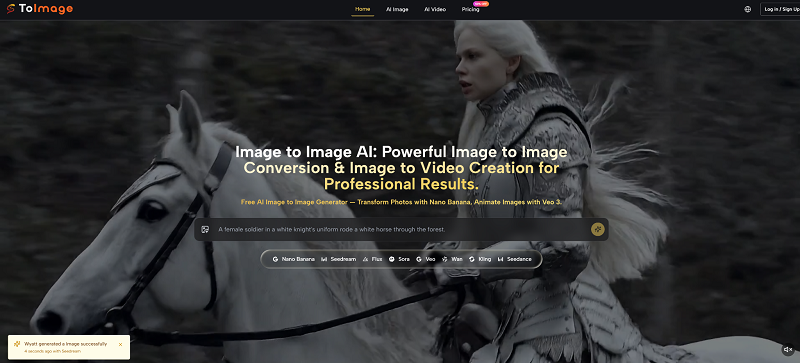
The platform does not ask you to choose a single AI model and commit to it. Instead, it presents a selection of models—Nano Banana, Nano Banana Pro, Flux Kontext Pro, Flux Kontext Max, Seedream 4.0, Seedream 5.0 Lite, Midjourney, Veo 3, Veo 3.1 Lite, and Veo 3.1 Basic—and lets you decide which one to use for each specific task. That distinction matters more than it might seem at first glance.
The Case for Model Diversity Over Model Loyalty
Most AI image platforms have a single flagship model. Users learn its quirks, its strengths, and its blind spots. They develop prompt-writing strategies that compensate for the model’s weaknesses. Over time, they become proficient at getting good results from that one engine. But proficiency is not the same as optimization. A model that excels at photorealistic portraits may struggle with stylized illustrations. A model that handles complex scenes well may produce inconsistent results when asked to preserve a specific character’s facial features across multiple generations.
The platform’s multi-model approach addresses this directly. Instead of forcing every task through the same engine, it allows the user to match the model to the task. In my testing, I found that Nano Banana and its variants delivered the strongest results for photorealism and subject consistency. Flux Kontext models handled contextual understanding and scene composition with noticeable competence. Seedream models generated results faster, making them useful for early-stage exploration and rapid iteration. Veo 3 extended the capability into video, turning static images into short animated clips with synchronized audio.
The practical implication is straightforward: the platform does not force a compromise. If a project requires hyper-realistic detail, there is a model for that. If speed is the priority, there is a model for that too. If the goal is to animate a still image into a short video clip, that capability exists within the same interface, without switching to a separate tool.
How the Workflow Unfolds in Practice
The platform’s workflow follows a logical sequence that prioritizes flexibility over rigidity.
Step 1: Upload Your Source Material
The process begins with an existing image. This could be a photograph, a digital rendering, a hand-drawn sketch, or any visual reference that establishes the composition, subject, or structure the user wants to build upon.
What the Upload Step Actually Enables
The upload step is the foundation of everything that follows. The platform does not generate images from scratch; it transforms existing visuals into new versions. This means the quality of the input directly influences the quality of the output. A well-composed, high-resolution source image gives the models more to work with. A poorly composed or low-resolution image limits what any model can achieve, regardless of how sophisticated the AI engine is.
Step 2: Describe the Desired Transformation
The text prompt articulates the creative direction. The platform processes natural language instructions and translates them into visual modifications. The prompt can be as simple as a few words or as detailed as a multi-sentence description of lighting, mood, composition, and stylistic references.
How Prompt Specificity Shapes the Outcome
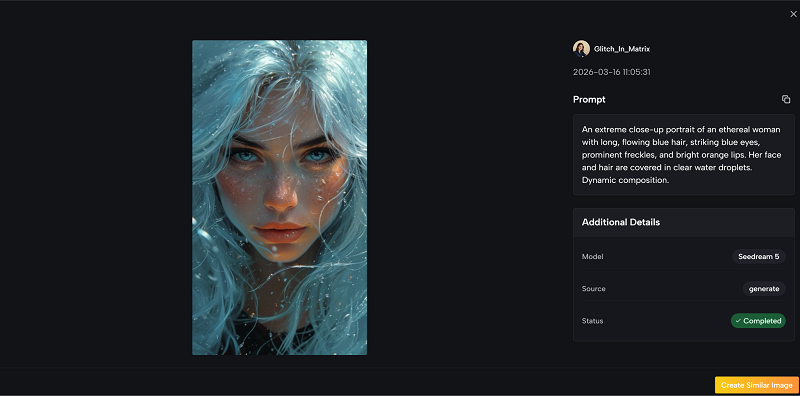
Prompt quality emerged as a critical variable in my testing. Vague prompts produced generic, uninspired results. Overly prescriptive prompts sometimes constrained the model’s creative interpretation. The most effective prompts appeared to be descriptive without being dictatorial—enough detail to guide the model toward the intended aesthetic, but enough freedom for the AI to interpret creatively. The platform’s example prompts, such as the detailed description of a “frozen lake adventure” or an “edgy dark portrait”, illustrate the level of specificity that tends to produce compelling results.
Step 3: Select a Model and Generate
This is where the platform’s multi-model architecture becomes tangible. After uploading an image and writing a prompt, the user selects which AI model should handle the transformation. The choice is not permanent; different models can be tested on the same input to compare results side-by-side.
The Value of Side-by-Side Comparison
In my testing, I ran the same source image and prompt through three different models. The results were not simply better or worse—they were qualitatively different. One model preserved the original subject’s identity more faithfully while altering the background. Another reinterpreted the entire scene more aggressively but produced a more visually striking composition. A third struck a balance between the two. This variety is the platform’s real strength: the ability to compare approaches and choose the one that best serves the specific project.
Pricing That Reflects Real Usage Patterns
The platform’s pricing structure is worth examining because it reveals something about how the service is intended to be used. The Starter plan, priced at $8.30 per month on an annual basis, provides 10,000 credits per year—approximately 416 images at $0.24 per image. The Pro plan offers 32,000 credits per year at $25 per month, bringing the per-image cost down to approximately $0.17. The Unlimited plan, at $75 per month, removes credit limits entirely and supports eight concurrent generations.
What the Credit System Reveals
The credit system is transparent about what each model costs. Nano Banana consumes 30 credits per generation in the Starter plan, while Nano Banana Pro and Flux Kontext Max require 40 credits. Veo 3, the video generation model, consumes significantly more—10,080 credits per generation. This pricing reflects the computational cost of each model type and gives users a clear sense of what they are paying for.
The Commercial License Distinction
One detail that distinguishes this platform from many competitors is the inclusion of a commercial license with all paid plans. This means images generated through the platform can be used for client work, marketing materials, product packaging, and other commercial applications without additional licensing fees or usage restrictions. For working professionals, this removes a significant source of anxiety that often accompanies AI-generated content.
Real-World Applications Across Different Creative Disciplines
E-Commerce and Product Visualization
For e-commerce professionals, the ability to generate consistent product imagery across different backgrounds, lighting conditions, and stylistic treatments is valuable. In my testing, I uploaded a product photograph and asked the platform to generate versions with different studio backgrounds and lighting setups. The results varied by model: Nano Banana Pro produced the most consistent product rendering with minimal distortion of the product’s shape and texture, while Flux Kontext Max generated more dramatic lighting variations that could work well for lifestyle imagery.
The platform’s handling of fine details—texture, reflections, edge definition—was generally strong, though not flawless. Complex products with intricate geometry sometimes required multiple attempts to achieve acceptable results. The practical lesson is to treat the platform as a production tool that requires some iteration, not a magic button that delivers perfect results on the first try.
Concept Art and Iterative Design
For illustrators and concept artists, Image to Image AI offers a way to rapidly explore visual directions. I tested this by uploading a rough character sketch and using different models to generate more polished versions in different styles. Seedream 4.0 produced the fastest turnaround, making it useful for early-stage exploration. Nano Banana Pro delivered the most refined results, suitable for presentation or further development.
The platform’s handling of character consistency was noteworthy but not perfect. In some generations, the character’s facial features shifted subtly—enough to be noticeable but not enough to ruin the result. For professional work, this means the platform is best used as an ideation and iteration tool rather than a final-output solution, unless the project has tolerance for some variation.
Image-to-Video Extensions
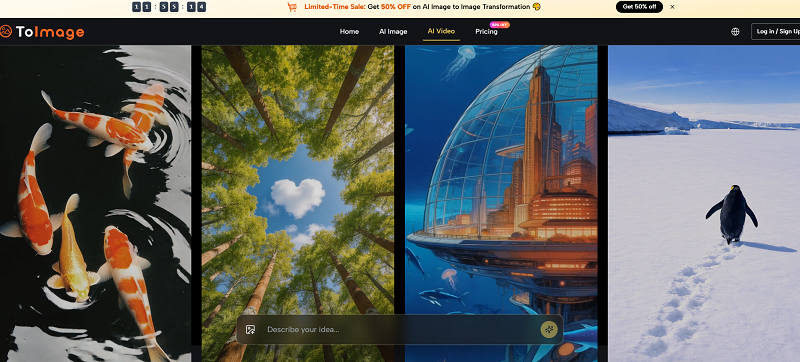
The Veo 3 models extend the platform’s capabilities beyond still images into short video generation. In my testing, the video outputs were short clips that captured the general motion and mood of the source image. The results were impressive in terms of motion coherence but limited in duration and complexity. For social media content or quick visual concepts, the feature adds value. For professional video production, it remains a supplementary tool rather than a replacement for traditional animation or filming.
A Practical Comparison
| Aspect | Toimage AI | Single-Model Platforms |
| Model Selection | Multiple models available for each task | One model, one approach |
| Workflow Flexibility | Model can be changed per generation | Fixed to the platform’s engine |
| Creative Range | Broad coverage across styles and use cases | Limited to the model’s strengths |
| Iteration Speed | Fast models for exploration, detailed models for polish | One speed for all tasks |
| Output Consistency | Varies by model; some more consistent than others | Generally consistent within the model’s range |
| Learning Investment | Requires understanding model differences | Lower—only one model to learn |
Limitations Worth Acknowledging
No platform is without constraints. The quality of the output depends heavily on the quality of the input image and the clarity of the prompt. Vague or poorly constructed prompts produce mediocre results, regardless of which model is selected. Complex scenes with multiple subjects, intricate backgrounds, or unusual compositions may require multiple attempts to achieve satisfactory results.
The video generation capability, while promising, produces relatively short clips that may not meet the needs of professional video production. The platform’s strength remains in still image generation and editing, with video as an emerging capability rather than a fully mature offering.
Model performance can vary from one generation to the next. In my testing, I observed that running the same prompt and image through the same model twice did not always produce identical results. This variability is inherent to generative AI and not unique to this platform, but it is worth noting for users who require pixel-perfect consistency across multiple outputs.
Who Benefits Most From This Approach
The platform appears most valuable for creative professionals who work across multiple visual disciplines—photographers who need to generate variations of product shots, designers who iterate on concepts rapidly, marketers who produce social media content, and agencies that manage multiple client projects with different aesthetic requirements.
For users who primarily work within a single visual style and have already optimised their workflow around a specific AI model, the platform’s multi-model approach may offer less immediate value. But for anyone who has ever found themselves switching between tools to get the right result—or worse, settling for a suboptimal result because switching was too much trouble—the platform’s integrated approach is worth serious consideration.
The transparent pricing, included commercial license, and absence of watermarks on paid plans remove the most common friction points that discourage professionals from adopting AI image tools. The platform does not claim to be the best at everything, but it makes a compelling case for being the most practical option for users who need access to multiple capabilities without managing multiple relationships.
The real test of any creative tool is whether it makes the creative process easier, faster, or more enjoyable. By that measure, this platform passes. It does not eliminate the need for creative judgment, technical skill, or iterative refinement. But it does reduce the administrative overhead of accessing different AI capabilities, leaving more time and mental energy for the actual creative work.