
Looking for the best free encrypted messaging apps for Android?
You have many options. But not every messaging app offers the same level of privacy or encryption.
A good secure messaging app should:
- Use end-to-end encryption where it matters.
- Protect your messages, calls, photos, and files.
- Get regular security updates.
- Offer useful privacy settings.
- Be easy to use.
We checked the key security features of popular messaging apps and put together this list for Android users.
Important: Encryption does not make an app completely secure. Your phone, account, backups, and privacy settings also matter.
List of The Best Free Encrypted Messaging Android Apps:
1. Signal
2. WhatsApp
3. Telegram
4. Wire
5. Viber
6. Line
7. KakaoTalk
8. Element
9. Briar
10. Matrix
1. Signal
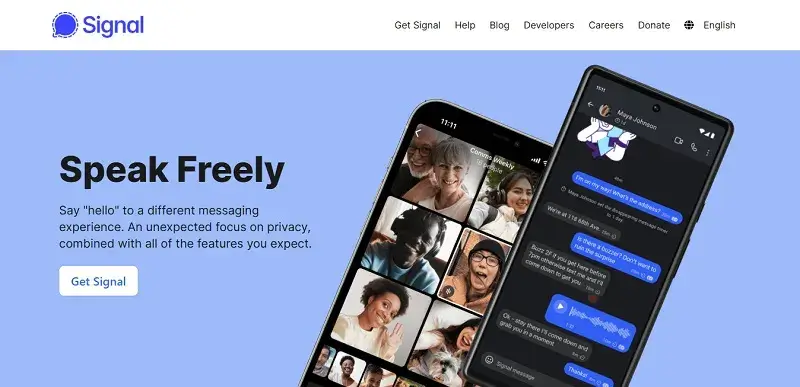
Signal is one of the best-known privacy-focused messaging apps for Android.
It uses end-to-end encryption for messages and calls. The company says it cannot read your messages or listen to your calls. Signal is also open source.
You can use Signal to send:
- Text messages
- Photos
- Videos
- Files
- Voice messages
- Stickers
You can also make voice and video calls.
Signal requires a phone number when you create an account. But you can use a username to start chats without sharing your phone number with another person.
Signal is free and does not use ads or trackers.
Best for: People who want privacy-focused messaging with end-to-end encryption by default.
2. WhatsApp
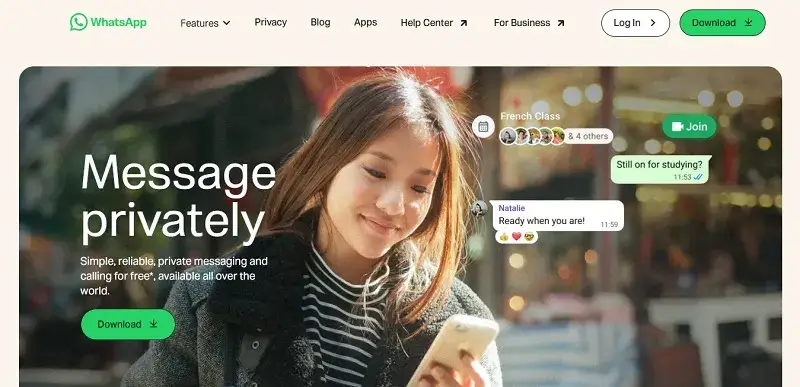
WhatsApp is one of the most widely used messaging apps in the world.
Your personal WhatsApp messages and calls use end-to-end encryption by default. WhatsApp also offers disappearing messages, encrypted backups, two-step verification, and other privacy tools.
You can use WhatsApp to:
- Send messages
- Share photos and videos
- Send files
- Make voice calls
- Make video calls
- Create group chats
- Share your location
WhatsApp also added stronger account security features in 2026, including a stronger two-step verification system and other protections against account attacks.
Best for: People who want encrypted messaging and need an app that many friends and family already use.
3. Telegram
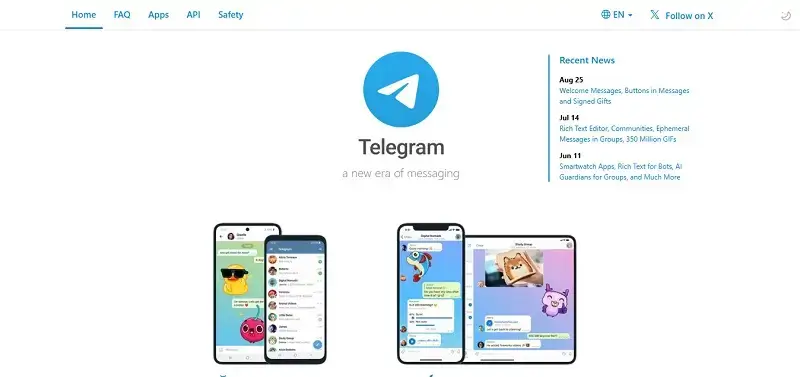
Telegram is a popular messaging app with a large feature set.
But there is an important privacy detail.
Regular Telegram Cloud Chats are not end-to-end encrypted. Telegram uses server-client encryption for Cloud Chats. Secret Chats use end-to-end encryption instead.
Secret Chats are designed for one-to-one conversations. Telegram says only the people in the Secret Chat can read its messages.
Telegram also supports:
- Group chats
- Channels
- Voice calls
- Video calls
- File sharing
- Large media files
- Stickers
- Bots
Best for: People who want Telegram’s large feature set and understand the difference between Cloud Chats and Secret Chats.
4. Wire
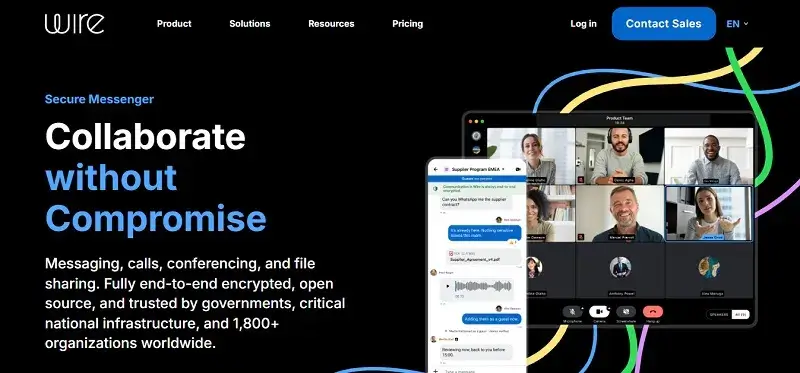
Wire is a secure messaging and collaboration app.
It says its messages, media, and calls use end-to-end encryption. The encryption stays on by default and does not require a separate setting.
Wire supports:
- Private messages
- Group conversations
- Voice calls
- Video calls
- Conference calls
- File sharing
Wire also supports business and team communication.
One detail matters for files. Wire says messages and calls are always end-to-end encrypted, while files and folders stored through Wire Drive use encryption in transit and at rest.
Best for: People who want secure messaging with work and collaboration tools.
5. Viber
Viber is another popular messaging app with end-to-end encryption.
It says one-to-one chats, group chats, and one-to-one voice and video calls use end-to-end encryption.
Viber also offers:
- Voice calls
- Video calls
- Group chats
- Stickers
- GIFs
- Disappearing messages
- File sharing
However, not every Viber feature uses end-to-end encryption.
Communities, channels, bots, group calls, and Viber Out calls are not end-to-end encrypted.
Best for: People who want encrypted chats plus a large set of social features.
6. Line

LINE uses a feature called Letter Sealing for end-to-end encryption.
It says Letter Sealing protects messages so people outside the chat, including LINE, cannot read their contents. The feature is turned on by default.
Letter Sealing can cover:
- Text messages
- Photos
- Videos
- Voice messages
- Files
- Location information
- One-to-one voice and video calls
There are limits. For example, group calls, meetings, albums, and notes do not use Letter Sealing. Some media features can also depend on the app version and setup.
Best for: People who already use LINE and want its built-in encryption features.
7. KakaoTalk

KakaoTalk is a popular messaging app from South Korea.
Its Secret Chat mode uses end-to-end encryption. Kakao says the keys needed to decrypt Secret Chat messages are stored on the user’s device.
KakaoTalk also offers:
- One-to-one chats
- Group chats
- Voice calls
- Video calls
- File sharing
- Stickers
- Social features
If privacy is your main concern, check that you are using the appropriate secure chat mode.
Best for: People who already use KakaoTalk and want its Secret Chat option.
8. Element
Element is a secure messaging and collaboration app built on the Matrix network.
It supports end-to-end encrypted messaging, voice calls, video calls, and file sharing. Its encryption is based on the Matrix open standard.
One important difference is that Element works across a decentralized network. You can use different Matrix servers instead of relying on one central service.
Element also supports:
- Group rooms
- Voice and video calls
- File sharing
- Device verification
- Encrypted backups
- Cross-device messaging
Encryption is designed to be the default, but Element also supports rooms that are not encrypted. Check the room’s security settings before sharing sensitive information.
Best for: People who want open, decentralized messaging and collaboration.
9. Briar
Briar is designed for private communication with a strong focus on security and resilience.
Unlike traditional messaging apps, Briar can communicate without relying on a central messaging server in the same way many mainstream apps do.
It is aimed at people who need private communication even when normal internet access is limited.
Briar can be useful for:
- Private messages
- Groups
- Forums
- Secure communication in difficult network conditions
Its design is more specialized than apps such as WhatsApp or Signal.
Best for: Users who want a privacy-focused app with a different approach to network communication.
10. Element-based Matrix Messaging

Matrix is an open communication network. Element is one of its best-known clients.
This option is worth mentioning separately because Matrix lets users choose between different servers and clients. That gives users more control over where their account and data are hosted.
End-to-end encryption protects messages in encrypted rooms. Element also supports device verification and encrypted key storage.
This setup can be useful for:
- Private communities
- Teams
- Technical users
- Decentralized communication
- Users who want more control over their data
Best for: Users who want decentralized and customizable secure messaging.
Note: Element and Matrix overlap, so this is not a separate messaging protocol in the same way as Signal or WhatsApp. It is included here because Matrix gives Android users another major encrypted messaging option.
Quick Comparison
| App | End-to-end encryption | Calls | Free option | Phone number needed |
|---|---|---|---|---|
| Signal | Yes, by default | Yes | Yes | Yes |
| Yes for personal messages and calls | Yes | Yes | Yes | |
| Telegram | Secret Chats only | Yes | Yes | Yes |
| Wire | Yes for messages, media, and calls | Yes | Yes | Depends on account setup |
| Viber | Yes for supported chats and calls | Yes | Yes | Yes |
| LINE | Letter Sealing | Yes | Yes | Depends on region/setup |
| KakaoTalk | Secret Chat | Yes | Yes | Yes |
| Element | Encrypted rooms | Yes | Yes | No personal phone number required |
| Briar | Privacy-focused | Limited compared with mainstream apps | Yes | No |
| Matrix | Depends on client and room | Depends on client | Yes | No |
How to Choose an Encrypted Messaging App
Do not choose an app based only on the word “encrypted.”
Look at these features first:
- End-to-end encryption: Is it on by default?
- Calls: Are voice and video calls encrypted?
- Files: Are photos, videos, and files protected?
- Backups: Are chat backups encrypted?
- Account privacy: Do you need a phone number or email?
- Open source: Can security researchers inspect the code?
- Updates: Does the app still receive security updates?
- Device security: Can you protect chats with a PIN, password, or screen lock?
- Disappearing messages: Can you make sensitive messages disappear?
- Device verification: Can you confirm that you are talking to the right person?
The answer will depend on how you use the app.
Frequently Asked Questions
1. What are the best free encrypted messaging apps for Android?
Signal, WhatsApp, Wire, Viber, LINE, Telegram, KakaoTalk, Element, and Briar all offer security features worth considering.
The key difference is how and where each app uses end-to-end encryption.
Signal encrypts its conversations by default. WhatsApp uses end-to-end encryption for personal messages and calls. Telegram uses end-to-end encryption in Secret Chats rather than regular Cloud Chats.
2. Which messaging app is the most secure for Android?
There is no single app that fits every privacy need.
Look at more than encryption. Check the app’s account system, metadata, backups, source code, device security, and privacy settings.
Signal is built around private communication and uses end-to-end encryption for messages and calls by default.
3. Is Signal better than WhatsApp for encrypted messaging?
Both Signal and WhatsApp use end-to-end encryption for personal messages and calls.
They have different designs and features. Signal focuses heavily on private communication, while WhatsApp offers a much larger social and messaging ecosystem.
The right choice depends on the features you need and the people you need to contact.
4. Is Telegram fully encrypted?
Telegram encrypts its messages, but regular Cloud Chats are not end-to-end encrypted.
Secret Chats use end-to-end encryption. Telegram stores Cloud Chats in its encrypted cloud service, while Secret Chats remain tied to the devices where they were created.
5. Is WhatsApp end-to-end encrypted?
Yes. WhatsApp says personal messages and calls use end-to-end encryption by default.
WhatsApp also offers features such as disappearing messages, encrypted backups, two-step verification, and screenshot protection for View Once media.
6. Which encrypted messaging app is best for privacy?
There is no single encrypted messaging app that is best for every user. Privacy depends on more than encryption.
Signal is designed with private communication in mind and uses end-to-end encryption for messages and calls. It also offers features such as usernames, disappearing messages, and privacy controls.
Other apps also offer strong security features. WhatsApp uses end-to-end encryption for personal messages and calls. Wire uses end-to-end encryption for messages, media, and calls. Telegram offers end-to-end encryption through Secret Chats, while regular Cloud Chats use a different encryption model.
Before choosing an app, check these features:
- End-to-end encryption
- Data collection and metadata
- Account requirements
- Encrypted backups
- Open-source code
- Privacy settings
- Security updates
- Device protection
For most users, the important question is not simply which app is “best.” It is which app gives them the privacy features they need and which they can use safely.
7. Are free encrypted messaging apps really secure?
A free app can still offer strong encryption.
But “free” does not mean “private.”
Check whether end-to-end encryption is enabled by default. Check what data the service collects. Also keep the app and your Android device up to date.
8. What is the best alternative to WhatsApp for secure messaging?
Signal is one option for people who want private messaging outside WhatsApp.
Wire is another option, especially for teams and collaboration. Telegram can also work, but remember that its regular Cloud Chats are not end-to-end encrypted.
9. Which messaging apps offer end-to-end encryption?
Several popular Android apps offer end-to-end encryption.
These include Signal, WhatsApp, Wire, Viber, LINE, KakaoTalk Secret Chat, and Element’s encrypted rooms. Telegram also offers end-to-end encryption in Secret Chats.
The important part is to check which features use end-to-end encryption.
10. Can encrypted messaging apps be used for free?
Yes.
Signal, WhatsApp, Telegram, Viber, LINE, and several other apps offer free messaging services.
Some apps may also offer paid plans or extra features. You can still use their basic messaging features without paying.
11. Which Android messaging apps support encrypted voice and video calls?
Signal and WhatsApp use end-to-end encryption for calls. Wire also says its calls are end-to-end encrypted. Viber supports end-to-end encryption for one-to-one voice and video calls.
Telegram also uses end-to-end encryption for its calls.
Always check the app’s current security documentation because encryption can differ between call types.
12. Does Signal require a phone number?
Yes.
Signal still requires a phone number to create an account.
But you can use a Signal username to connect with people without giving them your phone number.
13. Is Telegram safe for private conversations?
Telegram provides several security options.
For end-to-end encrypted one-to-one chats, use Secret Chats. Regular Cloud Chats use a different encryption model.
Knowing this difference is important before you send sensitive information.
14. How does end-to-end encryption protect messages?
End-to-end encryption protects a message from the moment it leaves the sender’s device until it reaches the recipient’s device.
The message stays encrypted while it travels.
Only the intended participants have the keys needed to read the message.
This means the service handling the message cannot simply read the content of an end-to-end encrypted conversation.
15. What is the difference between encrypted messaging and end-to-end encrypted messaging?
Encryption can protect data while it travels between your device and a server.
End-to-end encryption goes further.
It protects the message from the sender’s device to the recipient’s device. The service in the middle should not have the key needed to read the message.
16. Which encrypted messaging apps do not require an email address?
The answer depends on the app and its current registration rules.
Signal requires a phone number but does not require an email address to create the account. Signal usernames can then help users connect without sharing their phone number.
Element also says an email address can be optional when creating a Matrix account, depending on the server you use.
17. Can encrypted messages be intercepted?
An attacker can still capture encrypted data.
The key difference is that properly encrypted content should be unreadable without the required keys.
Encryption does not protect a compromised phone. Someone who gains access to your unlocked device or account may still see your messages.
That is why you should use a strong screen lock and keep your phone and apps updated.
18. What is the most private messaging app for Android?
There is no single answer for every user.
Privacy depends on more than message encryption.
Consider:
- Account requirements
- Metadata
- Backups
- Device security
- Contact discovery
- Open-source code
- Privacy controls
- Encryption settings
Signal is designed around private communication and uses end-to-end encryption for messages and calls.
19. Is Wire a secure messaging app?
Wire says its messages, media, and calls use end-to-end encryption by default.
Wire also provides security and privacy documentation for its platform.
If you use Wire Drive, note that Wire describes messages and calls as always end-to-end encrypted, while files and folders use encryption in transit and at rest.
20. Is Viber encrypted and safe to use?
Viber uses end-to-end encryption for one-to-one chats, group chats, and one-to-one voice and video calls.
But not every Viber feature uses end-to-end encryption.
Communities, channels, bots, group calls, and Viber Out calls are not end-to-end encrypted.
21. Is KakaoTalk encrypted?
KakaoTalk offers Secret Chat, which uses end-to-end encryption.
Kakao says the keys needed to decrypt Secret Chat messages are stored on the user’s device.
If you need end-to-end encryption, make sure you use the appropriate Secret Chat feature.
22. Is Wickr Me still available for Android?
No.
Wickr Me was retired on December 31, 2023.
Do not download old Wickr Me APK files from random websites. An old APK may create security risks and does not restore the retired service.
23. What happened to Silence encrypted messaging?
Silence was an open-source Android SMS and MMS app that used the Signal protocol for encrypted messages.
However, its public changelog shows its latest listed release as version 0.15.16 from August 2019.
That makes Silence an outdated choice for a current 2026 Android messaging guide.
24. Which encrypted messaging app is best for sending photos, videos, and files?
Several secure messaging apps support media and file sharing.
Signal supports photos, videos, files, and other media with end-to-end encrypted communication. Wire also supports messages, media, and calls with end-to-end encryption.
Telegram supports photos, videos, and files, but remember that regular Cloud Chats are not end-to-end encrypted.
25. Which secure messaging apps have disappearing messages?
Signal, WhatsApp, and Viber support disappearing messages.
WhatsApp also lets users turn on disappearing messages as a privacy feature.
Viber offers disappearing messages with a timer.
Remember that disappearing messages do not stop someone from taking a photo of the screen or saving information in another way.
26. Do encrypted messaging apps protect messages from screenshots?
No.
End-to-end encryption and screenshot protection are different features.
Some apps can block screenshots for certain types of content. WhatsApp, for example, has screenshot blocking for View Once media.
Viber also offers screenshot alerts for disappearing messages.
27. Are encrypted messaging apps safer than regular SMS?
Encrypted messaging apps can provide stronger privacy than standard SMS.
Apps such as Signal and WhatsApp use end-to-end encryption for their supported messages. Standard SMS does not provide end-to-end encryption between sender and recipient.
But no app can protect you from every threat.
Your phone, account, passwords, backups, and privacy settings still matter.
28. How do I choose the best encrypted messaging app for Android?
Start with end-to-end encryption.
Ask these questions:
- Is encryption on by default?
- Does it protect calls?
- Does it protect photos and files?
- Are backups encrypted?
- Does the app require a phone number?
- Does it collect much personal data?
- Is the code open source?
- Does the app receive regular security updates?
- Can you verify other devices and contacts?
- Does it offer the features you actually need?
Then choose the app that fits your needs.
Wire is another option, especially for teams and collaboration. Telegram can also work, but remember that its regular Cloud Chats are not end-to-end encrypted.
Final Words
The best encrypted messaging app is not always the app with the longest feature list.
Start with security.
Check whether the app uses end-to-end encryption. Check which features it covers. Then look at backups, account requirements, privacy settings, file sharing, calls, and device security.
Signal and WhatsApp provide end-to-end encryption for personal messages and calls. Wire uses it for messages, media, and calls. Viber protects several chat and call types. Telegram uses end-to-end encryption in Secret Chats rather than regular Cloud Chats.
Do not forget your Android device.
Use a strong screen lock. Keep your apps updated. Protect your account with available security tools. Review your backup and privacy settings.
Most important, understand how your chosen app handles encryption.
There is no single messaging app that works for everyone. Compare the features, privacy controls, account requirements, and encryption model.
Then choose the free encrypted messaging app for Android that fits the way you communicate.